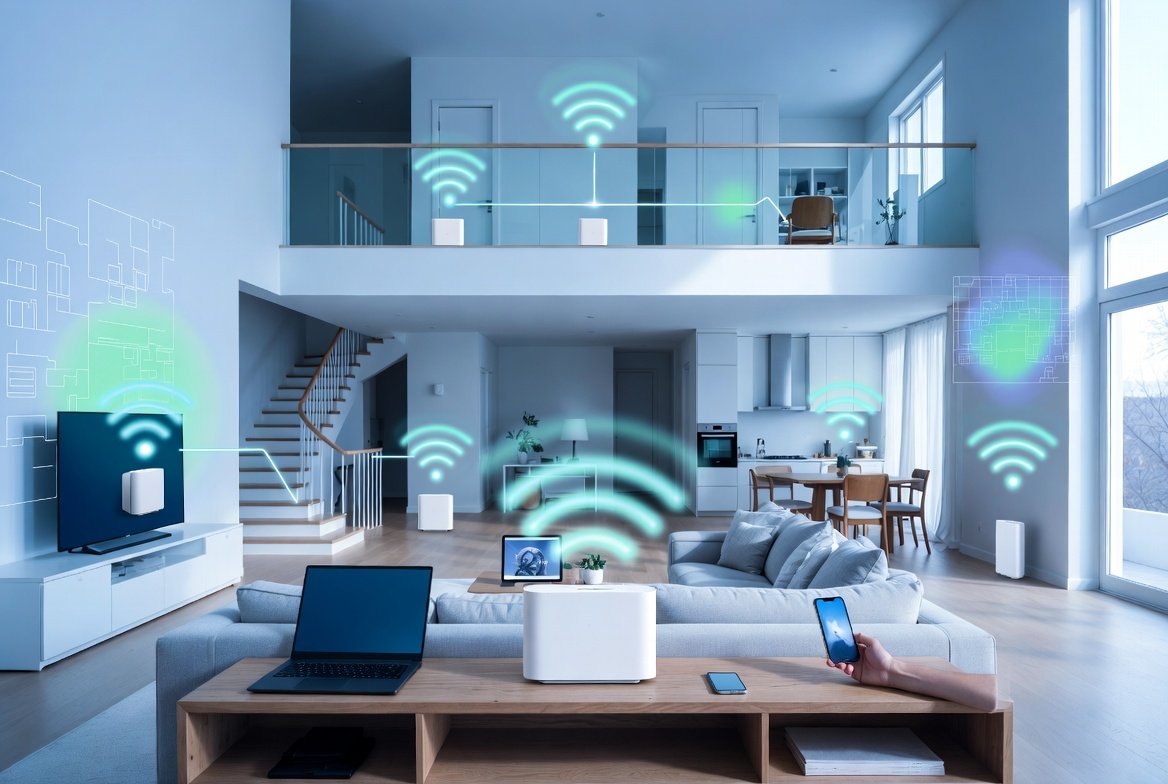
If you want to set up home wifi effectively in a large house, moving beyond a traditional single router becomes necessary. Large homes often span thousands of square feet across multiple floors, with thick walls, multiple rooms, and areas like basements or attics that create signal challenges. A mesh system addresses these issues by creating a unified network that blankets every corner with strong signal. This guide walks you through the entire process, ensuring you achieve dependable coverage without frustration. Whether you live in a two-story villa, a sprawling family home, or a property with outdoor spaces, the right approach makes all the difference. You will learn practical steps, expert tips, and strategies tailored specifically for bigger living spaces.
In this article
- Understanding What a WiFi Mesh System Really Is
- Why Mesh Systems Excel in Large Houses
- Choosing the Right Mesh WiFi System for Your Large Home
- Essential Components and Preparation Before Setup
- Step-by-Step Guide to Set Up Home WiFi Mesh System
- Optimal Placement Strategies for Mesh Nodes in Large Houses
- Configuring Network Settings and Advanced Features
- Enhancing Performance and Eliminating Dead Zones
- Common Problems and How to Troubleshoot Them
- Security Best Practices for Your Home WiFi Mesh
- Maintaining and Updating Your Mesh System
- Cost Analysis and Long-Term Value
- Real-World Examples and Success Stories
- Looking Ahead: The Future of Home WiFi Technology
- Conclusion
Understanding What a WiFi Mesh System Really Is
A WiFi mesh system consists of multiple devices working together as a single network. Unlike a conventional router that broadcasts from one central point, a mesh setup uses a main router connected to your modem and several satellite nodes placed strategically around the house. These nodes communicate with each other, passing the signal along in a web-like pattern. This creates seamless roaming, meaning your devices automatically connect to the strongest node without dropping connection as you move from room to room.
The technology relies on intelligent routing algorithms. Each node acts as both a receiver and transmitter, forming a self-healing network. If one node experiences interference, the system reroutes data through another path automatically. Modern mesh systems support advanced standards such as WiFi 6 or WiFi 6E, offering faster speeds, better handling of multiple devices, and reduced latency. For large houses, this means supporting dozens of smartphones, laptops, smart TVs, and home automation devices simultaneously without slowdowns.
 Also readStellar Migrator for Exchange Review: Migrating from Exchange Server to Microsoft 365
Mesh networks differ significantly from simple range extenders. Extenders often create a separate network or halve your speed because they repeat the signal. Mesh systems maintain full speed and present one unified network name and password. This unified experience feels invisible to users while delivering professional-grade coverage. Many systems also include dedicated backhaul channels—either wireless or wired via Ethernet—to keep the main data flow efficient between nodes.
Understanding these basics helps you appreciate why mesh is the preferred solution for properties larger than 3,000 square feet. Traditional routers struggle with distance and obstacles like concrete walls or metal appliances. Mesh overcomes these limitations by distributing the load evenly.
Why Mesh Systems Excel in Large Houses
Large houses present unique challenges for wireless coverage. High ceilings, multiple floors, thick interior walls, and expansive layouts often create dead zones where signal drops to unusable levels. A single router placed in the living room might reach the kitchen well but fail in upstairs bedrooms or the far end of the garden. Signal strength weakens with distance and through barriers, leading to buffering videos, dropped video calls, and slow downloads.
A mesh WiFi system solves this by placing multiple access points that work in harmony. You can position nodes in different zones—ground floor, first floor, and even outdoor areas if the system supports it. This results in consistent speeds and strong signal strength everywhere. Families benefit greatly because children can study online in their rooms, parents can attend virtual meetings from home offices, and everyone can stream entertainment without interruption.
Another advantage is scalability. If your family grows or you add more smart devices, you simply add extra nodes instead of replacing the entire setup. Mesh systems handle high device density efficiently, often supporting 50 to 100 or more simultaneous connections. In large homes with guests frequently visiting, this prevents overload during parties or family gatherings.
Energy efficiency and aesthetics also play a role. Modern mesh nodes are compact, stylish, and blend into home décor. They consume reasonable power while delivering high performance. Compared to running multiple separate routers, a mesh setup reduces complexity and improves overall reliability.
Choosing the Right Mesh WiFi System for Your Large Home
Selecting the appropriate mesh system requires considering several key factors. First, calculate your home’s square footage and layout. For homes between 4,000 and 6,000 square feet, a three- to four-node kit often suffices. Larger properties or those with challenging materials may need five or six nodes.
Speed requirements matter too. Look for systems supporting at least WiFi 6 for future-proofing. Tri-band models provide a dedicated backhaul band, ensuring nodes communicate without slowing down client devices. Check port options—Gigabit Ethernet ports allow wired backhaul for maximum performance in critical areas.
Brand reputation and user reviews help narrow choices. Popular options include systems known for easy app-based management, strong parental controls, and regular firmware updates. Consider coverage claims carefully; real-world performance depends on your specific environment.
Budget plays a role as well. Entry-level kits offer solid coverage for moderate needs, while premium systems include advanced security features and voice assistant integration. Think about long-term value—reliable performance reduces the need for constant upgrades.
Compatibility with your existing modem and internet plan is crucial. Most mesh systems work with any broadband service, but verify speed ratings match your subscription. Some systems offer subscription-based security add-ons, but core functionality remains free.
Take time to read independent tests and user experiences from communities discussing home networking. This ensures the system matches your household’s usage patterns, whether heavy streaming, online gaming, or remote work.
For more insights into tech products and optimization, visit Business To Mark.
Essential Components and Preparation Before Setup
Before beginning installation, gather necessary items. You will need your internet modem, an Ethernet cable, the mesh system kit, and a smartphone or tablet for the companion app. Power outlets near intended node locations are important, as nodes require electricity.
Survey your home thoroughly. Draw a simple floor plan noting room sizes, wall types, and potential interference sources like microwaves or cordless phones. Identify areas with poor coverage by walking around with your current device and checking signal strength.
Update your modem firmware and restart it to ensure a clean start. Back up any existing network settings if you plan to repurpose the old router. Clear space around the main router location—ideally central and elevated.
Download the manufacturer’s app in advance. Most systems guide you through setup via mobile application with visual instructions. Create an account if required and have your WiFi network name and password ready for the new system.
Consider wired backhaul if your home has Ethernet cabling. This provides the most stable connection between nodes and boosts overall performance. Even without pre-installed wiring, you can run cables later for critical nodes.
Prepare family members for temporary internet downtime during setup. The process usually takes 30 to 90 minutes depending on home size and number of nodes.
Step-by-Step Guide to Set Up Home WiFi Mesh System
Here is the detailed process to successfully install your mesh network. Follow each step carefully for best results.
- Connect the Main Router Node: Unbox the primary unit and connect it to your modem using an Ethernet cable. Plug in the power adapter and wait for indicator lights to show it is online. The app will detect the device automatically.
- Install the Companion App: Open the app on your mobile device and follow on-screen prompts to create your account and add the system. Scan any QR codes on the devices for quick pairing.
- Configure Basic Settings: Set your new network name (SSID) and strong password. Choose whether to combine 2.4GHz and 5GHz bands into one for simplicity or keep them separate for advanced control.
- Add Additional Nodes: Place the first satellite node in a central location on the next floor or far side of the house. Power it on and let the app guide pairing. Repeat for each node, moving progressively through the house.
- Test Signal Strength: Use the app’s built-in tools to check coverage at various points. Adjust positions if weak spots appear.
- Enable Advanced Features: Set up guest networks, parental controls, and device prioritization as needed.
- Optimize Placement: Fine-tune node locations based on test results. Nodes should be within range of each other but not too close to avoid overlap issues.
- Update Firmware: Allow the system to check and install the latest software for security and performance improvements.
- Connect Your Devices: Reconnect all smartphones, computers, and smart home gadgets to the new network.
- Run Speed Tests: Verify performance in different areas using online speed test tools.
To set up home wifi mesh system effectively in practice, patience during node placement makes the biggest difference. Test thoroughly before finalizing positions.
Optimal Placement Strategies for Mesh Nodes in Large Houses
Proper node placement is critical for large properties. Start with the main router in a central location on the ground floor, away from walls and metal objects. Elevate it if possible on a shelf or table.
For multi-story homes, place one node per floor, ideally near staircases for good vertical coverage. In very large single-story homes, space nodes every 30 to 50 feet depending on model specifications.
Avoid placing nodes directly behind televisions, inside cabinets, or near windows with direct sunlight. These reduce effectiveness. Keep at least 10-15 feet between nodes to prevent excessive overlap while maintaining strong backhaul.
For outdoor coverage like patios or gardens, choose weatherproof nodes or place indoor nodes near exterior walls with line-of-sight.
Use the manufacturer’s app heat map feature during setup. It visually shows signal strength and helps identify ideal spots. Walk through every room while testing—kitchens with appliances, bedrooms with thick curtains, and home offices with multiple electronics all need attention.
Consider aesthetics and power access. Nodes look modern but still require unobtrusive placement. If your home has Ethernet ports in walls, use wired backhaul for nodes in distant areas like garages or basements.
Experiment with positions. Small adjustments of a few feet can dramatically improve results. In houses with metal framing or stone walls, additional nodes may be required compared to open-plan wooden structures.
Configuring Network Settings and Advanced Features
Once nodes are online, dive into the app settings. Enable beamforming for targeted signal direction toward devices. Activate MU-MIMO if available to handle multiple connections efficiently.
Set up Quality of Service (QoS) rules to prioritize important traffic like video calls or online learning. Guest networks provide secure access for visitors without compromising your main network.
Many systems offer smart home integration with voice assistants for easy control. Explore device blocking or time limits for family management.
Monitor connected devices regularly through the app dashboard. This helps identify bandwidth hogs and maintain smooth operation.
Enhancing Performance and Eliminating Dead Zones
To maximize speeds, enable tri-band operation where possible. Use wired backhaul for the most demanding nodes. Regularly reboot the entire system monthly for optimal performance.
Minimize interference by keeping nodes away from other wireless devices. Update all client devices to latest software versions.
Run periodic speed tests and adjust placements as furniture or family habits change. Add nodes if new dead zones appear after renovations.
Common Problems and How to Troubleshoot Them
Even well-planned setups encounter occasional issues. Slow speeds often result from poor node placement or outdated firmware. Restart nodes and check for updates first.
Connection drops may indicate interference or overloaded backhaul. Reposition nodes or switch to wired connections.
If certain devices fail to connect, forget the network on the device and reconnect. For persistent problems, reset individual nodes through the app.
Device-specific issues, such as slow performance on mobile phones, can be addressed with targeted fixes. For detailed advice on resolving slow connections on iPhones, refer to this helpful resource: How to Fix Slow WiFi on iPhone in 2026.
Interference from neighboring networks requires changing channels via app settings. Signal strength varying by time of day might relate to peak usage hours—consider QoS adjustments.
Security Best Practices for Your Home WiFi Mesh
Strong security protects your family and data. Use WPA3 encryption and create complex passwords. Enable automatic firmware updates for the latest patches.
Use guest networks for visitors and separate IoT devices onto a dedicated segment if available. Monitor for unknown devices and block suspicious activity.
Avoid public WiFi habits when at home. Regular security scans through the app keep everything protected.
Maintaining and Updating Your Mesh System
Maintenance is straightforward. Check the app monthly for updates and performance reports. Clean nodes occasionally to remove dust.
Plan for upgrades every four to five years as technology advances. Most systems allow adding newer compatible nodes gradually.
Cost Analysis and Long-Term Value
Initial investment varies but pays off through reliability and time saved troubleshooting. Factor in coverage per dollar and future expansion costs.
Reliable connectivity supports productivity, education, and entertainment, making the expense worthwhile for large households.
Real-World Examples and Success Stories
Many families in spacious homes report transformed experiences after switching to mesh. One household with a 5,500-square-foot property eliminated buffering in all rooms by placing four nodes strategically. Another multi-generational home used the system to support simultaneous online classes and work calls without issues.
These examples highlight how thoughtful setup delivers consistent results across different layouts.
Looking Ahead: The Future of Home WiFi Technology
WiFi standards continue evolving with WiFi 7 offering even higher speeds and lower latency. Mesh systems will integrate more deeply with smart homes and provide advanced AI optimization.
Staying informed helps you upgrade at the right time while enjoying current benefits.
Conclusion
Setting up a mesh WiFi system in a large house transforms your connectivity experience. By following this comprehensive guide, you create a robust, seamless network tailored to your home’s unique needs. Take time with planning, placement, and testing for the best outcome. Enjoy reliable internet that supports your family’s lifestyle now and in the years ahead. With proper setup, dead zones become a thing of the past, and strong signal becomes the new normal throughout your entire property.