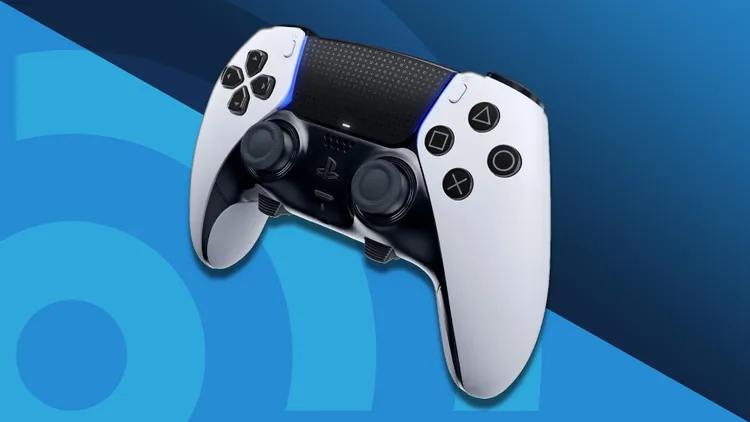
Is your PS5 DualSense controller constantly demanding to be plugged in? You’re not alone. The innovative adaptive triggers and haptic feedback that make PlayStation 5 gaming so immersive can also take a toll on battery life. Over time, even the best batteries degrade, leaving you tethered to a USB cable and diminishing your wireless freedom.

The good news is you don’t have to buy an expensive new controller or send your trusty DualSense off for weeks of repairs. A ps5 controller battery replacement is a practical, cost-effective, and surprisingly straightforward DIY project. This comprehensive guide will walk you through everything you need to know, from recognizing when a replacement is necessary to performing the swap yourself and choosing the best battery for extended gaming sessions.
Is It Time? Recognizing a Failing DualSense Battery
Before you start shopping for a replacement, it’s important to confirm that your controller’s battery is genuinely the problem. Common signs of a degraded battery include:
-
Significantly Shortened Playtime: Your fully charged controller dies after just a few hours of moderate gaming.
-
Sudden Shutdowns: The controller powers off abruptly, even when the on-screen battery indicator shows a remaining charge.
-
Inability to Charge: You leave the controller on the charger overnight, but it’s completely dead the next morning.
-
Physical Swelling: In rare cases, a failing lithium-ion battery can swell, causing the controller’s back cover to bulge or feel misaligned.
If you notice any of these symptoms, a ps5 controller battery replacement is likely the solution.
Real-World Scenario: The Marathon Gamer
Imagine you’ve just settled in for a weekend gaming marathon. You’re deep into an intense boss battle when your controller’s low-battery warning pops up. You scramble for the charging cable, only to find you’re using a USB hub that doesn’t supply enough power. Your controller dies, and you lose your progress. A fresh, high-capacity battery would have given you the extra hours you needed to conquer the game wirelessly.
Understanding the DualSense Battery: Inside Your Controller
To make an informed purchase, it helps to know what’s already inside your DualSense. The PS5 controller uses a built-in lithium-ion battery with these specifications:
| Specification | Details |
|---|---|
| Model Number | LIP1708 |
| Chemistry | Lithium-Ion (Li-Ion) |
| Voltage | DC 3.65V |
| Capacity | 1560 mAh |
The standard 1560 mAh battery is rated for approximately 6 to 12 hours of playtime, depending on the features you use. Features like haptic feedback, adaptive triggers, the built-in speaker, and the microphone consume more power, shortening battery life. Many aftermarket batteries offer much higher capacities, sometimes exceeding 5000 mAh, which can potentially double or triple your gaming time.
PS5 Controller Battery Replacement: Benefits vs. Drawbacks
Choosing to replace your own battery is a decision with clear advantages and a few considerations. Here’s a balanced comparison.
| Benefits | Drawbacks |
|---|---|
| Cost-Effective: A new battery costs $15–30, compared to $70+ for a new DualSense. | Voids Warranty: Opening the controller will void any remaining manufacturer warranty. |
| Eco-Friendly: Repairing instead of replacing reduces electronic waste. | Risk of Damage: If not careful, you can break internal clips or delicate ribbon cables. |
| Extended Playtime: Upgrading to a high-capacity battery can significantly improve your gaming sessions. | Potential for Non-Genuine Parts: The market has lower-quality batteries that may not perform as expected. |
| Empowerment & Learning: You gain a valuable DIY skill for future controller repairs. | Time Investment: The first replacement may take 30–60 minutes while you learn the process. |
How to Perform a PS5 Controller Battery Replacement: A Step-by-Step Guide
This step-by-step tutorial follows the established iFixit procedure. Disclaimer: Performing this repair is at your own risk. The author and publisher are not responsible for any damage to your equipment.
Step 1: Gather Your Tools
-
Replacement Battery: Ensure it’s compatible with the DualSense (LIP1708 model).
-
Precision Screwdriver Set: Specifically a small Phillips #00 head.
-
Plastic Opening Tools: A spudger, guitar pick, or an old plastic card.
-
Tweezers: For handling small connectors.
Step 2: Prepare Your Workspace
-
Power off your PS5 console completely. Don’t just put it in Rest Mode.
-
Disconnect the controller from the USB charging cable.
-
Place a soft cloth on your work surface to avoid scratching the controller.
Step 3: Remove the Middle Black Trim
-
Flip the controller over. Insert an opening pick into the seam at the bottom-right corner of the black center section and gently release the first clip.
-
Work your way around to release all the clips, then lift the trim over the analog sticks and set it aside.
Step 4: Remove the L1 and R1 Buttons
-
Press and hold the L2 trigger. With your other hand, insert a spudger between the L1 and L2 buttons, then gently pry upwards to release the L1 button. Hold your finger over it to prevent it from flying away.
-
Repeat this process to remove the R1 button.
Step 5: Unscrew the Back Panel
-
You will now see two small silver screws where the L1 and R1 buttons were. Remove them with your precision screwdriver.
-
Remove the two additional screws at the bottom corners of the controller.
Step 6: Separate the Front and Rear Shells
-
Use your spudger to carefully release the clips on the left and right edges of the controller. The clips are delicate, so proceed slowly.
-
With the clips released, gently lift the rear shell away from the front of the controller.
Step 7: Disconnect and Remove the Old Battery
-
Inside, you’ll see the battery. Use tweezers to disconnect the battery’s small white connector by pulling it straight out of its socket on the circuit board.
-
The battery is held in place by adhesive. Gently pry it up with your spudger, being careful not to puncture it.
Step 8: Install the New Battery
-
Place your new battery into the compartment, ensuring the wires are oriented correctly.
-
Connect the battery’s plug to the socket on the circuit board.
Step 9: Reassemble and Test
-
Click the rear shell back into place, ensuring all clips are secured.
-
Reinstall the four screws and press the L1 and R1 buttons back until they click.
-
Snap the middle trim piece back on.
-
Turn on the controller and test all buttons. Connect it to your PS5 to verify it’s charging.
Choosing the Right Replacement Battery
When shopping, you have two main choices: standard capacity replacement or a high-capacity upgrade.
Standard Capacity Battery (1500–1560 mAh)
These batteries match the original specifications and are ideal if you want to restore your controller to its factory performance. They are often more affordable and guarantee compatibility.
High-Capacity Battery (2000–5000 mAh)
Upgrading to a higher capacity can dramatically extend your playtime without changing your gaming habits. A 5000 mAh battery, for example, holds more than three times the charge of the original and will feel like an entirely new, high-performance controller.
| Battery Type | Estimated Playtime | Price Range |
|---|---|---|
| Standard (1560 mAh) | 6–12 hours | $10–15 |
| High-Capacity (2650 mAh) | 12–18 hours | $15–20 |
| Ultra High-Capacity (5000 mAh) | 18–30+ hours | $20–30 |
Always buy from a reputable seller and check user reviews for real-world performance insights.
Troubleshooting After Your Replacement
Sometimes things don’t go as planned. Here are common post-replacement issues.
| Problem | Likely Cause | Solution |
|---|---|---|
| Controller won’t turn on | Loose battery connection | Reopen the controller and firmly reconnect the battery cable. |
| Battery drains quickly | The battery needs calibration | Drain the battery completely, then charge it to 100% uninterrupted. Repeat 3–4 times. |
| Buttons feel stiff or don’t work | The L1/R1 buttons aren’t seated properly | Remove the buttons and reinstall them, ensuring they click securely into place. |
| Case won’t close tightly | A clip is damaged or a wire is pinched | Reopen and inspect all clips, ensuring no wires are caught between the shells. |
Maximizing Your New Battery’s Life
Once you’ve completed your ps5 controller battery replacement, get the most out of it with these expert tips:
-
Adjust Your Settings: In the PS5 settings menu, you can reduce the intensity of haptic feedback and adaptive triggers or turn them off completely to conserve power.
-
Dim the Controller Lights: Lowering the brightness of the controller’s light bar in the settings will add noticeable minutes to your playtime.
-
Lower Speaker Volume: Reducing or muting the built-in speaker is another simple but effective way to extend battery life.
-
Calibrate Your New Battery: For optimal performance, after installing a new battery, you should calibrate it by fully discharging and then fully charging it a few times.
-
Avoid Extreme Temperatures: Keep your controller away from direct sunlight and other heat sources, as high heat can permanently damage lithium-ion batteries.
Frequently Asked Questions (FAQ)
Q: How long does a PS5 controller battery last before it needs replacing?
A: The battery can last between 2 to 4 years before you’ll notice significant degradation, depending on how heavily you use and charge it.
Q: Is it worth replacing the PS5 controller battery?
A: Absolutely. It’s a cost-effective repair that extends the life of your controller, keeping it out of a landfill for years to come.
Q: Can I use a higher capacity battery?
A: Yes, many aftermarket batteries offer higher capacities. Ensure the new battery has the same physical dimensions and voltage (3.65V) as the original to fit properly and function safely.
Q: Will a battery replacement fix drift issues?
A: No. Analog stick drift is a separate mechanical issue. While you’re inside, you can inspect the sticks, but you’ll need a different repair procedure to fix drift.
Q: Are there any reliable online guides for the replacement procedure?
A: Yes, one of the most respected and thorough guides is available on iFixit. You can check out their step-by-step Sony DualSense Controller Battery Replacement guide for detailed, photo-assisted instructions.
Alternatives to DIY Replacement
If you decide not to replace the battery yourself, you have options:
-
Sony Warranty or Out-of-Warranty Repair: If your controller is still within its 12-month warranty, Sony may repair or replace it for free. Out-of-warranty repairs cost approximately $30–40.
-
Professional Repair Shops: Local electronics repair shops offer battery replacement services for a fee, typically $40–60 including parts and labor.
-
Upgrade Your Gaming Setup: While you’re giving your controller a new lease on life, consider upgrading your entire gaming rig. For those who love racing simulators, a mobile triple screen setup simracing can take your immersion to the next level.
Conclusion: Take Control of Your Gaming Experience
A failing battery doesn’t mean the end of your PS5 controller. A ps5 controller battery replacement is one of the most satisfying, cost-effective repairs you can do. By following this comprehensive guide, you can restore your DualSense to its former glory, save money, reduce e-waste, and even dramatically improve your wireless playtime.
The key takeaways are simple:
-
Diagnose the problem by observing shortened playtime and sudden shutdowns.
-
Choose the right battery based on your budget and desired playtime.
-
Follow a reliable guide and take your time during the replacement to avoid damaging delicate components.
-
Extend your new battery’s life by optimizing your controller’s settings and calibrating it properly.
-
Don’t be afraid to seek help, whether through professional repair or by checking trusted online communities.
With a few dollars and an hour of your time, you can breathe new life into your trusty DualSense. That’s a smart investment in your gaming experience. For more expert tech guides and smart device tips, be sure to check out businesstomark.com.
Related posts:

Paraguay National Football Team vs Australia National Football Team Standings: A Complete 2026 World...
Sports Gaming![detroit tigers vs cleveland guardians match player stats]()
Detroit Tigers vs Cleveland Guardians Match Player Stats: 2024 & 2025 Postseason Breakdown
Sports Gaming![Dodgers vs Phillies match player stats]()
Dodgers vs Phillies Match Player Stats: Comprehensive 2026 Analysis and Historical Insights
Sports Gaming![7 Biggest GTA 6 Features Fans Are Most Excited About Before Release]()
7 Biggest GTA 6 Features Fans Are Most Excited About Before Release
Sports Gaming
What is a Bunkr Album and How Does It Work for Storing and Sharing Files Online?
Sports Gaming
What Is the Zuyomernon System Basketball and How Does It Improve Team Performance?
Sports Gaming