how to fix broken screen at home without replacing display step by step guide

 Startup & Entrepreneurship
 how to fix broken screen at home without replacing display step by step guide
A broken screen on your smartphone, tablet, or laptop can disrupt your daily routine, whether you’re checking messages, working on documents, or staying connected with family. Many people search for ways to handle a broken screen quickly and affordably at home without the expense or hassle of a full display replacement. While no DIY method fully restores a shattered screen to factory condition, several temporary and semi-permanent techniques can improve usability, prevent further damage, and buy you time until a professional repair becomes feasible.

This comprehensive step-by-step guide explores practical, at-home solutions for dealing with a broken screen. It covers everything from immediate safety measures to common household remedies, their effectiveness, limitations, and important precautions. Remember that these approaches work best for minor cracks or surface damage where the underlying display and touch functions still operate. For severe shattering or non-responsive screens, professional help or replacement often proves the wiser long-term choice.
Understanding the Types of Broken Screen Damage
Before attempting any fix, identify the extent of the damage to your broken screen. Not all issues respond equally to DIY methods.
- Hairline cracks or surface scratches: These affect only the outer glass layer. Touch and display usually remain functional.
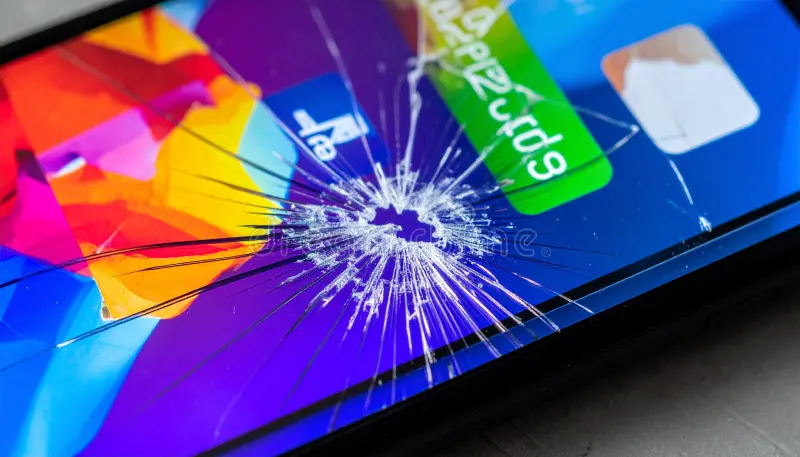
- Spiderweb cracks: Multiple radiating lines from an impact point. The glass may feel rough, but the screen often works.
- Shattered screen with loose shards: Glass pieces may shift or fall out, posing safety risks.
- Internal damage: Black spots, lines, dead pixels, or complete blackout indicate deeper issues beyond simple glass repair. These typically require professional intervention.
- Laptop-specific issues: A broken screen on a laptop might involve backlight failure, loose connections, or physical cracks in the LCD panel.
Assess functionality first: Does the touch response work? Is the display visible? Can you still use the device? If yes, temporary fixes have a better chance of success. Always back up your data immediately if the device remains accessible, as further handling could worsen issues.
Safety First: Precautions Before Any DIY Repair
Handling a broken screen involves sharp glass edges that can cause cuts. Follow these essential safety steps:
- Power off the device completely to avoid electrical shorts or accidental inputs.
- Wear protective gloves or use a microfiber cloth when touching the screen.
- Work in a well-lit, clean area with a soft surface to catch any falling shards.
- Remove any screen protector if present, as it may trap debris.
- Keep small children and pets away during the process.
- Avoid eating or drinking near the device to prevent contamination.
If the broken screen involves a smartphone with a non-removable battery, exercise extra caution—puncturing the battery can lead to fire hazards. For laptops, disconnect the power adapter and remove the battery if possible.
Tip: Place clear packing tape over the entire screen before starting any repair. This holds shards in place and reduces injury risk while you work.
Immediate Temporary Fixes for a Broken Screen
When a broken screen happens unexpectedly, quick actions can stabilize the situation without specialized tools.
1. Applying Clear Packing Tape or Screen Protector
This is one of the simplest and most effective temporary solutions for a broken screen.
Step-by-step guide:
- Clean the screen gently with a microfiber cloth and isopropyl alcohol (70% or higher) to remove dust and oils. Avoid excessive pressure on cracks.
- Cut a piece of high-quality clear packing tape slightly larger than the damaged area or the entire screen.
- Align the tape carefully and apply it smoothly, pressing out air bubbles with a credit card or soft cloth.
- Trim excess tape with scissors or a precision knife for a neat finish.
- For better results, use a tempered glass or hydrogel screen protector over the tape if the cracks are not too raised.
Pros: Prevents shard movement, protects fingers, maintains basic touch sensitivity, and is inexpensive. Cons: May create slight visual distortion or reduce clarity; not permanent.
Many users report using this method successfully for weeks or even months while saving for a proper repair.
Practical insight: If your broken screen has minor chips, a thick hydrogel protector can sometimes fill small gaps when applied with UV curing, improving appearance.
2. Using Super Glue or Clear Nail Polish for Crack Filling
For hairline cracks where shards stay mostly in place, filling agents can seal and stabilize the damage.
Super glue method:
- Ensure the screen is clean and dry.
- Apply a tiny amount of clear super glue directly into the cracks using a fine applicator or toothpick.
- Let it seep in naturally—do not force it.
- Allow full drying time (often overnight).
- Gently scrape excess dried glue with a razor blade held perpendicular to the screen surface.
- Buff lightly with a microfiber cloth.
Clear nail polish alternative:
- Apply a thin layer of clear nail polish over the cracks.
- Let it dry completely (10-15 minutes per coat; apply 2-3 thin coats).
- The polish acts as a filler, hardening to hold glass together.
Examples of use: These techniques work reasonably well on small impact points but may affect touch sensitivity if over-applied. Test functionality after drying.
Warning: Excessive glue or polish can seep into edges and interfere with the digitizer layer, causing unresponsive areas. Always use minimal amounts.
Household Remedies: Toothpaste, Baking Soda, and More
Popular internet suggestions for a broken screen include common household items. These provide limited, mostly cosmetic benefits and should be approached cautiously.
Toothpaste for Minor Scratches
- Use non-gel, plain white toothpaste (avoid whitening varieties with heavy abrasives).
- Apply a small dab to the scratched area with a soft cloth.
- Rub gently in circular motions for 1-2 minutes.
- Wipe clean with a damp cloth and dry thoroughly.
Reality check: Toothpaste may temporarily mask very fine surface scratches through mild abrasion, but it does not repair structural cracks and can leave residue or haze on modern oleophobic-coated screens. It is ineffective for deep damage and may worsen the situation by pushing debris deeper.
Baking Soda Paste
Mix baking soda with a small amount of water to form a paste. Apply similarly to toothpaste. This offers gentle polishing but shares the same limitations—primarily cosmetic for shallow scratches, not a true fix for a broken screen.
Tip: Combine these with a screen protector afterward for better protection. Test on a small inconspicuous area first.
Advanced At-Home Techniques (With Caution)
For more confident users, consider these semi-advanced options for a broken screen, but note they carry higher risks.
Windshield Repair Kit for Cracks
Automotive windshield repair kits (available at auto stores or online) contain resin and applicators designed to fill cracks.
Steps:
- Clean the area thoroughly.
- Apply the resin into the crack using the provided syringe or applicator.
- Cover with the curing film or plastic sheet.
- Cure with UV light (sunlight or included lamp) for the recommended time.
- Scrape and polish the excess.
This can improve clarity in hairline cracks but works best on flat glass surfaces and may not suit curved smartphone screens perfectly.
Glass-Only Repair Concepts
Some advanced DIY enthusiasts attempt separating the outer glass from the display assembly using heat (hairdryer or heat gun on low) and specialized tools, then applying new adhesive or replacement glass. This is highly technical, requires precision tools, and risks damaging the OLED/LCD layer underneath. It is not recommended for beginners due to potential for total screen failure.
For laptops, a broken screen might involve cleaning internal connections or reseating cables if the issue is backlight-related rather than physical cracking. However, physical panel damage almost always requires panel replacement.
Device-Specific Considerations
Smartphones and Tablets:
- Modern devices use laminated displays, making glass-only fixes challenging without professional equipment.
- iPhones and high-end Androids have strong adhesive and sensors that complicate DIY work.
- Focus on external stabilization methods to preserve touch functionality.
Laptops:
- A broken screen here often means the LCD panel itself. Temporary fixes are limited to external monitors via HDMI/USB-C.
- If only the outer cover or minor backlight issues exist, careful disassembly and cleaning might help, but cracked panels need full replacement.
- Always consult your laptop model’s service manual before opening it.
Example: A user with a spiderwebbed phone screen used packing tape plus a screen protector and continued daily use for over a month without further spreading, demonstrating how simple methods can extend device life.
Pros, Cons, and When to Avoid DIY Fixes
Advantages of at-home methods:
- Cost-effective (often under $5 using household items).
- Quick implementation—no waiting for appointments.
- Maintains device usability in emergencies.
- Educational and empowering for tech-savvy individuals.
Disadvantages and Risks:
- Temporary nature: Fixes often degrade over time with use and heat.
- Potential for further damage: Liquids or pressure can harm internal components.
- Reduced resale value or warranty voidance.
- Safety hazards from glass or battery issues.
- Compromised aesthetics and performance.
Professional repair services or authorized centers remain the gold standard for a durable broken screen solution. DIY approaches suit short-term needs, such as during travel or while budgeting for replacement.
If your device is under warranty, check manufacturer policies first—DIY attempts may void coverage. For valuable or work-critical devices, prioritize professional help to avoid data loss or complete failure.
Tools and Materials You Might Need
Gather these common items for most broken screen fixes:
- Microfiber cloths
- Isopropyl alcohol
- Clear packing tape or screen protectors
- Clear super glue or nail polish
- Soft toothbrush or cotton swabs
- Scissors or precision knife
- Gloves for safety
- Optional: UV flashlight, windshield repair kit, hairdryer (low heat)
Purchase quality materials from trusted retailers to avoid counterfeit products that could cause more harm.
For reliable tech advice and business insights, explore resources like Business to Mark, which offers practical guides on managing everyday challenges, including technology maintenance.
Long-Term Prevention Tips to Avoid Future Broken Screen Issues
Once you’ve addressed your current broken screen, adopt habits to prevent recurrence:
- Always use a high-quality tempered glass screen protector and sturdy case.
- Avoid placing the device in back pockets or loose bags.
- Keep devices away from edges of tables or high surfaces.
- Use screen wipes regularly to maintain clarity.
- Consider insurance or extended warranty plans for expensive devices.
- Handle with care during temperature extremes, as heat or cold can weaken glass.
Insight: Investing in prevention costs far less than repeated repairs and preserves your device’s longevity.
When to Seek Professional Help Instead
DIY methods have limits. Seek expert repair if:
- The screen is completely non-functional.
- Cracks spread rapidly despite stabilization.
- Touch or display issues worsen after attempts.
- You notice internal liquid damage or battery swelling.
- The device holds important, irreplaceable data.
Authorized service centers use original parts and proper tools for optimal results. Third-party shops can also provide affordable options, but verify reviews and warranties.
For general knowledge on display technology, the Wikipedia page on “Liquid-crystal display” offers detailed background on how modern screens function and why physical damage is challenging to reverse without replacement.
Conclusion: Actionable Takeaways for Handling a Broken Screen
Dealing with a broken screen at home requires patience, caution, and realistic expectations. While full restoration without replacing the display is rarely possible, the methods outlined—packing tape, protectors, careful filling with glue or polish, and gentle cleaning—can make your device usable again temporarily. Always prioritize safety, test functionality at each step, and know when to stop and seek professional assistance.
Key takeaways:
- Assess damage type and functionality first.
- Start with the simplest fixes like tape or protectors.
- Use household remedies sparingly and only for minor issues.
- Document your process in case you need to explain it to a repair technician later.
- Focus on prevention to avoid future headaches.
- Budget for professional repair as the reliable long-term solution.
By following this guide thoughtfully, you can extend the life of your device, save money, and minimize disruption. If your broken screen situation feels overwhelming, remember that technology evolves quickly—sometimes upgrading thoughtfully provides the best value. Stay informed, act carefully, and your device will serve you longer.
 Startup & Entrepreneurship
 Blossom Word Game: Complete Rules, Scoring, and Winning Strategy
 Startup & Entrepreneurship
 How to Validate a Business Idea Before You Quit Your Job
 Startup & Entrepreneurship