How to Book an Appointment with Genius Bar at Apple Store – The Complete 2026 Guide

 AI Technology
 How to Book an Appointment with Genius Bar at Apple Store
Introduction
There’s a sinking feeling we all know too well. Your iPhone screen goes black and won’t turn back on. Your MacBook starts making a sound you’ve never heard before. Or maybe your iPad simply refuses to charge. In moments like these, you need more than a Google search or a forum thread. You need a real person who knows Apple devices inside and out. You need to book an appointment with Genius Bar at Apple Store.
The Genius Bar is Apple’s in-store technical support service, staffed by certified experts called “Geniuses.” These professionals are trained to diagnose and resolve hardware and software issues across the entire Apple ecosystem. But here’s the catch — you can’t just walk in and expect immediate service. Apple operates on a reservation system, and securing a slot requires strategy, preparation, and a bit of insider knowledge.
This comprehensive guide walks you through every step of the process. Whether you’re a first-time visitor or a seasoned Apple user, you’ll learn how to book an appointment with Genius Bar at Apple Store quickly, what to bring, what to expect, and how to avoid common pitfalls. Let’s dive in.
What Is the Genius Bar?
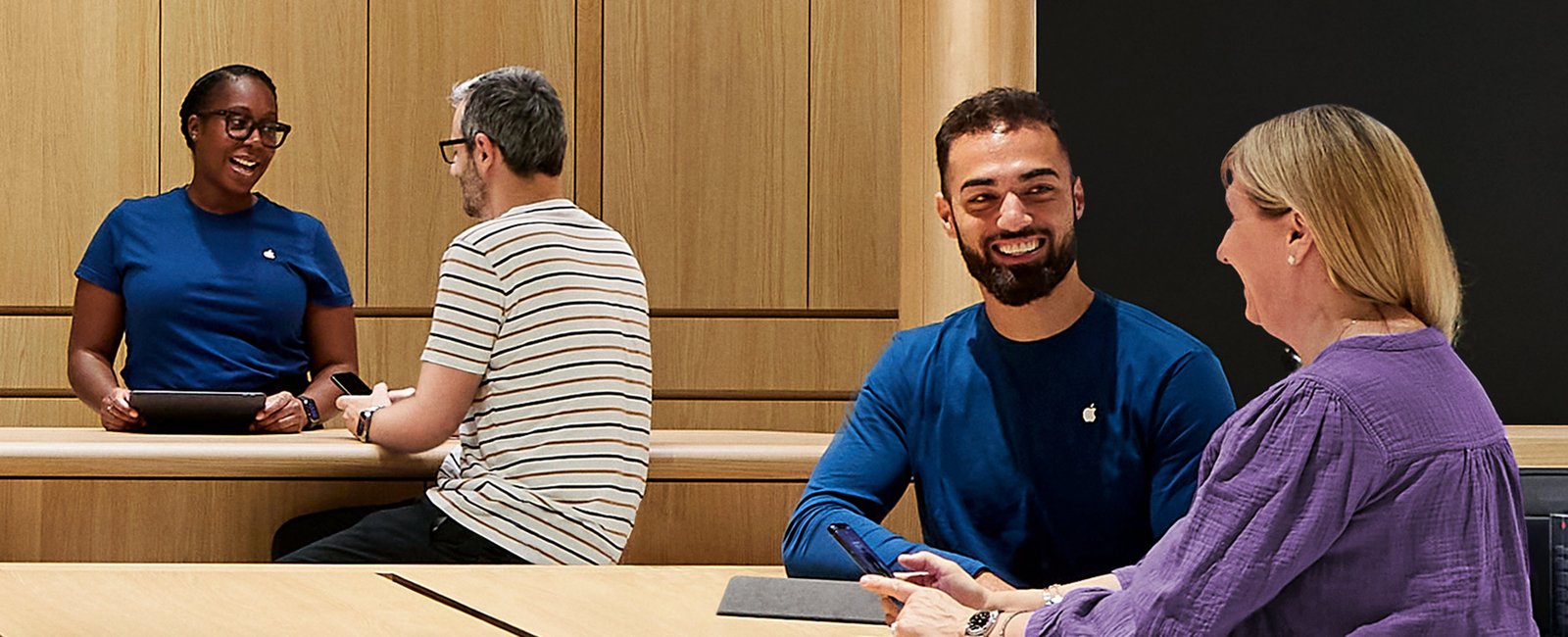
The Genius Bar is a dedicated technical support station located inside every Apple retail store worldwide. It’s where customers go for hands-on help with hardware problems like cracked screens, battery issues, water damage, and software malfunctions.
The employees at the Genius Bar are called “Geniuses” — and they’re not your average retail staff. These are specially trained and certified Apple experts who have undergone rigorous training and multiple certification levels to assist with everything from iPhone repairs to Mac motherboard diagnostics.
What makes the Genius Bar unique is the one-on-one, face-to-face support model. You’re not talking to someone on the phone or typing into a chat box. You’re sitting across from an expert who can physically examine your device, run diagnostic tests on the spot, and often perform same-day repairs.
Most diagnostic services at the Genius Bar are free of charge. However, if your device requires hardware repair and is out of warranty or not covered by AppleCare+, you will be responsible for the associated costs.
Why You Should Book an Appointment with Genius Bar at Apple Store
Let’s be honest: nobody enjoys dealing with tech issues. But booking an appointment with Genius Bar at Apple Store offers several distinct advantages over other support channels:
1. In-Person Diagnosis
Some problems can’t be solved over the phone or via chat. Physical damage, strange noises, or intermittent issues often require hands-on inspection. A Genius can open up your device, run hardware tests, and pinpoint the exact problem.
2. Same-Day Repairs
For many common issues — like cracked iPhone screens or battery replacements — Apple can complete the repair while you wait. That means you walk in with a broken device and walk out with a fully functional one.
3. Genuine Apple Parts
When you get a repair at the Genius Bar, you’re guaranteed Apple original parts. Independent repair shops may use third-party components that can void your warranty or cause compatibility issues down the line.
4. Expert Advice
Geniuses don’t just fix things; they educate. They can show you how to use features you didn’t know existed, optimize your device’s performance, and prevent future problems.
5. Peace of Mind
There’s something reassuring about having an official Apple representative examine your device. You know you’re getting accurate information, fair pricing, and professional service.
How to Book an Appointment with Genius Bar at Apple Store
Apple offers multiple ways to book an appointment with Genius Bar at Apple Store. Here’s a breakdown of each method, ranked from most convenient to least.
Method 1: Apple Support App (Fastest)
The Apple Support app is the quickest and most reliable way to book an appointment with Genius Bar at Apple Store. Here’s how:
Step 1: Download the Apple Support app from the App Store if you don’t already have it.
Step 2: Open the app and sign in with your Apple ID.
Step 3: Tap on the device you need help with. The app will automatically detect all devices linked to your Apple ID.
Step 4: Choose the issue category that best describes your problem (e.g., “Repairs & Physical Damage,” “Battery & Charging,” “Unable to power on”).
Step 5: Follow the on-screen prompts. For some issues, Apple may offer phone or chat support as alternatives. If your problem requires in-person service, you’ll see the option to Make a Reservation.
Step 6: Select your preferred Apple Store location from the list.
Step 7: Choose an available date and time slot that works for you.
Step 8: Tap Reserve to confirm your appointment. You’ll receive a confirmation screen and an email with your reservation details.
Pro Tip: The Apple Support app is the preferred method because it’s optimized for mobile, remembers your device information, and often shows real-time availability more accurately than the website.
Method 2: Apple Support Website (Desktop)
Prefer booking from your computer? You can also make an appointment with Genius Bar at Apple Store via the Apple Support website.
Step 1: Open your browser and go to mysupport.apple.com.
Step 2: Sign in with your Apple ID and password.
Step 3: Select the device you need help with from your list of registered products.
Step 4: Describe your issue. The system will guide you through troubleshooting steps and may offer solutions you can try at home.
Step 5: If the issue requires in-person support, scroll down and select Make a Reservation.
Step 6: Choose a location from the list of nearby Apple Stores.
Step 7: Pick a date and time that suits your schedule.
Step 8: Click Reserve now to finalize your appointment.
Method 3: Apple Store App
The Apple Store app (different from the Apple Support app) also allows you to book a Genius Bar appointment.
Step 1: Open the Apple Store app on your iPhone.
Step 2: Tap on the Store tab or search for your local Apple Store.
Step 3: Look for the Genius Bar or Make a Reservation option on the store’s page.
Step 4: Follow the prompts to select your device, issue, and preferred time slot.
While this method works, the Apple Support app is generally more straightforward for technical support bookings.
Method 4: Walk-In (Not Recommended)
Yes, you can walk into an Apple Store without a reservation. But should you? Probably not.
Walk-ins are accepted at most locations, but you should expect to wait 60 minutes or more. Appointments always take priority. If the store is particularly busy, you might not be seen at all.
If you absolutely must walk in, try visiting on a weekday morning (10 AM to 12 PM) when foot traffic is lighter. Weekend afternoons are the worst possible time.
Bottom line: Always book an appointment with Genius Bar at Apple Store in advance. It saves time, reduces stress, and guarantees you’ll be seen.
What You Need Before Booking
Before you start the booking process, make sure you have the following ready:
-
Your Apple ID and password — You’ll need this to sign in and verify your identity.
-
Your device’s serial number — If your device isn’t already registered to your Apple ID, have the serial number handy.
-
A clear description of the issue — Be specific. “My iPhone won’t turn on” is better than “My phone is broken.”
-
A backup of your data — Apple may need to reset or replace your device during service. Back up to iCloud or your computer beforehand.
-
Find My turned off — For iPhones and iPads, you must turn off Find My before service. Apple cannot service a device with Find My still enabled.
How to Choose the Right Store and Time Slot
Not all Apple Stores are created equal. Here’s how to optimize your appointment with Genius Bar at Apple Store:
Store Selection
-
Choose a store with a dedicated Genius Bar. All Apple retail locations have one, but some smaller stores may have limited capacity.
-
Consider suburban locations. Stores in suburban areas or smaller cities often have better availability, sometimes offering same-day or next-day appointments.
-
Avoid flagship stores. High-traffic locations in major cities fill up fast, especially for iPhone repairs.
Time Slot Selection
-
Book 1–3 days in advance. Popular time slots get snatched up quickly.
-
Check early morning and late evening slots. These tend to have better availability.
-
Weekdays are better than weekends. More open times are usually available Monday through Friday.
-
Check early on the day itself. Apple occasionally releases extra appointments for the same day in the morning.
What to Do If No Appointments Are Available
It happens. You check the booking system, and every slot is taken. Don’t panic. Here are your options:
1. Check Again Later
Availability changes constantly as people cancel or reschedule. Try checking at different times of the day, especially early morning.
2. Look at Other Stores
Expand your search to include Apple Stores within a reasonable driving distance. You might find availability at a location that’s slightly further away.
3. Try Same-Day Walk-In
While not ideal, you can still try walking in. Arrive right when the store opens for the best chance.
4. Use Apple’s Online Support
For software issues, Apple offers phone and live chat support. You might be able to resolve your problem without ever stepping foot in a store.
5. Consider an Apple Authorized Service Provider
Apple has a network of third-party service providers that offer similar repair services. They often have more flexible scheduling.
What to Bring to Your Genius Bar Appointment
Walking into an Apple Store unprepared is a recipe for frustration. Here’s exactly what you need to bring to your appointment with Genius Bar at Apple Store:
| Item | Why You Need It |
|---|---|
| Your device | The main reason you’re there. Duh. |
| Power cable and accessories | If the issue involves charging or peripherals, bring everything |
| Government-issued ID | Required for identity verification |
| Sales receipt (if possible) | Some repairs may require proof of purchase |
| Apple ID and password | You’ll need to sign in during the session |
| Backup of your data | In case your device needs to be wiped or replaced |
| List of questions | Write down everything you want to ask so you don’t forget |
What NOT to bring:
-
Your Apple ID password written on a sticky note (memorize it)
-
Third-party accessories that aren’t Apple-branded
-
Personal items that could be lost or stolen
What to Expect During Your Session
So you’ve booked your appointment with Genius Bar at Apple Store. What happens when you arrive?
1. Check-In
When you walk into the Apple Store, look for the Genius Bar area (usually at the back). Let a staff member know you have an appointment. They’ll check you in and confirm your reservation.
2. Initial Assessment
A Genius will greet you, ask about your issue, and take a look at your device. They’ll ask questions to understand the problem fully.
3. Diagnostic Testing
The Genius will run diagnostic tests on your device. For iPhones, this might include battery health checks, screen functionality tests, and hardware scans. For Macs, they may run more extensive system diagnostics.
4. Diagnosis and Options
Once the tests are complete, the Genius will explain what’s wrong. They’ll outline your options:
-
If it’s a software issue, they may fix it on the spot.
-
If it’s a hardware issue, they’ll explain repair costs (if applicable) and timeframes.
-
If your device is under warranty or covered by AppleCare+, the repair may be free.
5. Repair or Next Steps
For simple repairs (like screen replacements or battery swaps), Apple often completes the work while you wait. For more complex issues, they may need to keep your device for a few days and contact you when it’s ready.
6. Follow-Up
After the session, you’ll receive a summary of the service provided via email. You can also track your repair status through the Apple Support app.
Genius Bar Appointment Costs: Is It Free?
This is one of the most common questions, and the answer is: it depends.
Free Services
-
Diagnostic testing — Always free.
-
Software troubleshooting — Free for all devices.
-
Warranty repairs — If your device is within Apple’s one-year limited warranty, hardware defects are covered at no cost.
-
AppleCare+ repairs — If you have AppleCare+, accidental damage repairs are covered (with a service fee).
Paid Services
-
Out-of-warranty repairs — If your device is not covered by warranty or AppleCare+, you’ll pay for parts and labor.
-
Screen repairs: $199–$475 depending on model
-
Battery replacements: $69–$199
-
Out-of-warranty repairs: $249–$649 depending on device and damage
-
-
Accidental damage — If you don’t have AppleCare+, you pay full price for repairs.
Important: The Genius Bar consultation itself is always free. You only pay if repairs are needed and your device isn’t covered.
Tips for a Faster and Smoother Genius Bar Experience
Want to make the most of your appointment with Genius Bar at Apple Store? Follow these insider tips:
1. Update Your Device Before You Go
Software updates can fix many issues and speed up the diagnostic process. They might even resolve your problem before your appointment.
2. Back Up Your Data
This can’t be overstated. If Apple needs to replace your device, you’ll lose everything that isn’t backed up.
3. Arrive Early
Show up at least 5–10 minutes before your scheduled time. Late arrivals may lose their slot.
4. Be Specific About Your Issue
Vague descriptions lead to longer diagnostics. Instead of saying “My phone is slow,” say “My phone freezes for 10 seconds every time I open the Camera app.”
5. Bring Your Charger
If the issue involves charging or battery life, having your original charger helps the Genius pinpoint the problem faster.
6. Know Your Warranty Status
Check your coverage before you go. You can do this in the Apple Support app or at checkcoverage.apple.com. Knowing your warranty status helps set expectations about costs.
7. Be Patient and Polite
Geniuses deal with stressed customers all day. A little kindness goes a long way. They’re more likely to go above and beyond for someone who treats them with respect.
8. Write Down Your Questions
It’s easy to forget things in the moment. Jot down everything you want to ask before you arrive.
Genius Bar Appointment vs. Apple Authorized Service Provider
Not sure whether to book an appointment with Genius Bar at Apple Store or visit a third-party provider? Here’s a quick comparison:
| Factor | Genius Bar (Apple Store) | Apple Authorized Service Provider |
|---|---|---|
| Parts | 100% Apple original | Apple original (certified) |
| Expertise | Apple-trained Geniuses | Apple-certified technicians |
| Turnaround | Often same-day | Varies (1–5 days) |
| Cost | Standard Apple pricing | Standard Apple pricing (generally) |
| Appointment Availability | Limited, requires booking | Often more flexible |
| Location | Apple Stores only | Widespread (including malls, electronics stores) |
| Warranty | Apple warranty honored | Apple warranty honored |
Verdict: If you can get a Genius Bar appointment, it’s the gold standard. But if availability is tight, an Apple Authorized Service Provider is a perfectly good alternative.
Frequently Asked Questions (FAQs)
1. How do I book an appointment with Genius Bar at Apple Store?
You can book through the Apple Support app (fastest), the Apple Support website, or the Apple Store app. Simply sign in with your Apple ID, select your device, describe the issue, choose a store and time slot, and confirm.
2. Is a Genius Bar appointment free?
Yes, the consultation and diagnostic testing at the Genius Bar are always free. You only pay if your device requires hardware repair and is out of warranty or not covered by AppleCare+.
3. Can I walk into an Apple Store without a Genius Bar appointment?
Yes, but it’s not recommended. Walk-ins are accepted at most locations but often face waits of 60 minutes or more. Appointments always take priority.
4. What should I bring to my Genius Bar appointment?
Bring your device, power cable, government-issued ID, sales receipt (if possible), and make sure your data is backed up. Also, turn off Find My on iPhones and iPads before you arrive.
5. How far in advance should I book a Genius Bar appointment?
Ideally, book 1–3 days in advance for the best selection of time slots. For popular stores in major cities, you may need to book even earlier.
6. What happens if I’m late to my Genius Bar appointment?
If you arrive too late, the Genius Bar may not be able to accommodate you. Apple recommends arriving at least 5–10 minutes before your scheduled time.
7. Can I cancel or reschedule my Genius Bar appointment?
Yes. You can cancel or reschedule through the confirmation email (click Manage reservation) or through the Apple Support app.
8. Does the Genius Bar repair all Apple devices?
The Genius Bar supports iPhones, iPads, Macs, Apple Watches, Apple TVs, AirPods, and other Apple products. However, some older or obsolete devices may not be eligible for service.
Conclusion
Your Apple device is an essential part of your daily life. When it breaks, you need fast, reliable, and expert help. Booking an appointment with Genius Bar at Apple Store is the smartest way to get your device back in working order.
From the convenience of the Apple Support app to the expertise of certified Geniuses, the entire process is designed to get you the help you need with minimal stress. Remember to prepare ahead of time — back up your data, bring the right items, and arrive early. And if you can’t find an available slot, don’t give up. Check again later, explore other stores, or consider an Apple Authorized Service Provider.
The key takeaway? Always book an appointment with Genius Bar at Apple Store in advance. Walk-ins are a gamble you don’t need to take. A little planning goes a long way toward a smooth, successful, and satisfying support experience.
So next time your iPhone goes dark or your Mac starts acting up, you’ll know exactly what to do. Open the Apple Support app, tap a few buttons, and rest easy knowing that a certified Genius is ready to help.
Key Takeaways
-
Always book in advance. Walk-ins face long waits and may not be seen at all.
-
Use the Apple Support app. It’s the fastest and most reliable way to book an appointment with Genius Bar at Apple Store.
-
Prepare before you go. Back up your data, turn off Find My, and bring your device, charger, and ID.
-
Consultations are free. You only pay for repairs if your device is out of warranty.
-
Book 1–3 days ahead. Popular time slots fill up quickly, especially in busy locations.
-
Arrive early. Being late can cost you your slot.
-
Be specific about your issue. Clear descriptions lead to faster diagnoses and solutions.