
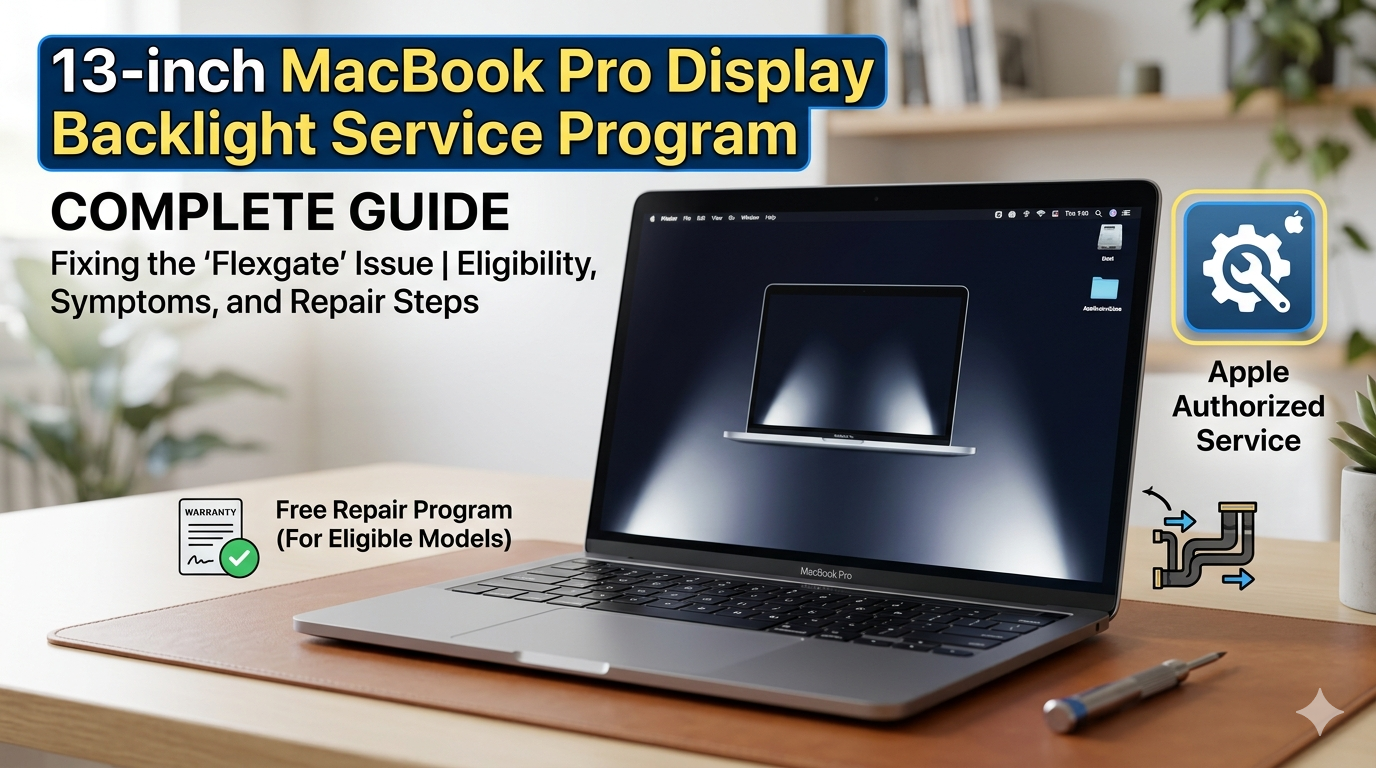
If you own a 2016 13-inch MacBook Pro and have noticed strange bright patches at the bottom of your screen—or worse, a display that has gone completely dark—you may be eligible for a free repair through Apple’s 13-inch MacBook Pro display backlight service program. This comprehensive guide explains everything you need to know about the program, from eligibility requirements to the step-by-step service process.
In this article
- What Is the 13-inch MacBook Pro Display Backlight Service Program?
- Eligible Models for the 13-inch MacBook Pro Display Backlight Service Program
- Symptoms That Qualify for the Service Program
- Coverage Period: How Long Does the Program Last?
- How to Get Service Through the Program
- Refund Process: Getting Your Money Back
- What Is “Flexgate”? Understanding the Backlight Issue
- Common Questions About the Service Program
- Pros and Cons of the 13-inch MacBook Pro Display Backlight Service Program
- Expert Tips for Affected MacBook Pro Owners
- Additional Information You Should Know
- Related Topics and Further Reading
- Conclusion
What Is the 13-inch MacBook Pro Display Backlight Service Program?
The 13-inch MacBook Pro display backlight service program is a worldwide Apple initiative that offers free display repairs for certain 2016 13-inch MacBook Pro models affected by backlight issues. Apple launched this program in May 2019 after determining that a “very small percentage” of these devices could experience display backlight failures.
The program addresses a specific hardware flaw that causes the display backlight to malfunction. Affected screens may show vertical bright areas along the bottom of the display, or the backlight may stop working entirely, leaving the screen dark even though the computer is still running. This issue has become commonly known in the tech community as “Flexgate” due to its connection to a fragile flex cable inside the display assembly.
 Also readTesla’s Flying Roadster: Is It Real? What Elon Musk Actually Launched
What Causes the Backlight Issue?
The root cause of the problem lies in a delicate flex cable that connects the display to the logic board. This cable is slightly too short for the design of the 2016 13-inch MacBook Pro. Every time you open and close the laptop, this cable flexes and experiences mechanical stress. Over months and years of regular use, the constant bending causes the cable to wear out and eventually break.
The result is a loss of power to the backlight LEDs. Users typically notice a “stage lighting” effect—bright vertical areas at the bottom of the screen—before the backlight fails completely. Apple addressed this design flaw in later models by extending the flex cable by about 2 millimeters, which resolved the issue.
Eligible Models for the 13-inch MacBook Pro Display Backlight Service Program
Before you proceed with a service request, it’s essential to confirm whether your MacBook Pro is eligible for the 13-inch MacBook Pro display backlight service program. Apple has limited this program to very specific models:
| Eligible Model | Identifier |
|---|---|
| MacBook Pro (13-inch, 2016, Four Thunderbolt 3 Ports) | Two ports on each side |
| MacBook Pro (13-inch, 2016, Two Thunderbolt 3 Ports) | Two ports total (one on each side) |
Important Notes on Eligibility
-
Only 2016 models are covered. MacBook Pro models from 2017, 2018, 2019, or later are not included in this program.
-
No other Mac notebook models are part of this program.
-
Affected devices were sold between October 2016 and February 2018.
-
Both the two-port and four-port versions of the 2016 13-inch MacBook Pro are eligible.
How to Check Your MacBook Pro Model
Identifying your exact MacBook Pro model is simple:
-
Click the Apple logo in the top-left corner of your screen.
-
Select “About This Mac” from the dropdown menu.
-
Look for the model information displayed in the window. It should specify the year and number of ports.
If your model matches one of the eligible models listed above, you may qualify for a free repair through the 13-inch MacBook Pro display backlight service program.
Symptoms That Qualify for the Service Program
The 13-inch MacBook Pro display backlight service program covers specific display issues. According to Apple’s official support documentation, affected displays may exhibit one or more of the following behaviors:
Primary Symptoms
-
Vertical bright areas along the entire bottom of the screen—these may appear continuously or intermittently.
-
Complete backlight failure—the display backlight stops working entirely, making the screen extremely dark or completely black, even though the computer is still on and functioning.
The “Stage Light” Effect
Many users describe the early symptoms as a “stage light” or “spotlight” effect. If you notice bright vertical bars or patches of light along the bottom edge of your display when you open your MacBook Pro, this is a strong indicator of the flex cable issue that the program addresses.
The Angle Test
One hallmark of this problem is that the backlight issue may worsen or improve depending on the angle at which you hold the display open. If you notice that tilting the screen at different angles causes the backlight to flicker or the bright areas to appear and disappear, this is a classic sign of flex cable fatigue.
Expert Tip: If your display shows any of these symptoms, back up your data immediately using Time Machine or another backup method. While the issue may seem minor at first, complete backlight failure can occur without warning, making it difficult to use your computer.
Coverage Period: How Long Does the Program Last?
The 13-inch MacBook Pro display backlight service program provides coverage for eligible models for a specific period. Apple has extended this coverage twice since the program’s initial launch.
Current Coverage Terms
The program covers eligible MacBook Pro models for:
-
5 years after the first retail sale of the unit, OR
-
3 years from the start date of the program (May 21, 2019) , whichever is longer.
What This Means for You
This dual calculation method ensures that owners receive the maximum possible coverage. For example:
| Purchase Date | Coverage End Date (5 years from purchase) | Coverage End Date (3 years from program start) | Actual Coverage End |
|---|---|---|---|
| October 2016 | October 2021 | May 2022 | May 2022 |
| February 2018 | February 2023 | May 2022 | February 2023 |
As of 2026, most eligible units have likely passed the coverage window. However, it is still worth checking with Apple Support to confirm your specific eligibility.
Original Program Timeline
-
Program announced: May 21, 2019
-
Original coverage: 4 years after first retail sale or 2 years from program start
-
First extension: Extended to 5 years after first retail sale or 3 years from program start
How to Get Service Through the Program
If you believe your MacBook Pro qualifies for the 13-inch MacBook Pro display backlight service program, follow these steps to initiate the repair process.
Step 1: Verify Your Eligibility
-
Check your model using the “About This Mac” method described above.
-
Confirm that your MacBook Pro matches one of the eligible 2016 13-inch models.
-
Ensure your device was purchased within the coverage window.
Step 2: Choose a Service Option
Apple offers multiple ways to have your display serviced under the program:
-
Apple Authorized Service Provider – Find a certified repair center near you.
-
Apple Retail Store – Schedule an appointment at your local Apple Store.
-
Mail-in Repair – Contact Apple Support to arrange for shipping your device to a repair facility.
Step 3: Prepare Your Device
Before bringing your MacBook Pro in for service:
-
Back up your data using Time Machine or your preferred backup method.
-
Disable Find My Mac to ensure the technician can access the device.
-
Remove any third-party accessories and keep your power adapter handy.
Step 4: The Inspection Process
Your MacBook Pro will be examined prior to any service to verify that it is eligible for this program. Apple or the authorized service provider will:
-
Confirm the model matches the eligible list.
-
Verify that the backlight issue is present.
-
Check for any other damage that might affect the repair.
Important Service Notes
-
If your MacBook Pro has any damage that impairs the service (such as a cracked screen or liquid damage), that issue will need to be repaired first. In some cases, there may be a cost associated with the additional repair.
-
The program does not extend the standard warranty coverage of your MacBook Pro.
Refund Process: Getting Your Money Back
One of the most valuable aspects of the 13-inch MacBook Pro display backlight service program is that Apple offers refunds to customers who already paid for a display backlight repair.
Who Is Eligible for a Refund?
If you paid for a display repair on an eligible 2016 13-inch MacBook Pro that had the backlight issue covered by this program, you may be entitled to a refund.
How to Request a Refund
-
Gather your proof of payment for the previous repair.
-
Visit the Apple Support website.
-
Contact Apple Support and reference the 13-inch MacBook Pro display backlight service program.
-
Provide the necessary documentation to verify your claim.
Important: Refund requests are typically processed on a case-by-case basis. It’s a good idea to have your original repair receipt or credit card statement available when you contact Apple.
What Is “Flexgate”? Understanding the Backlight Issue
The backlight problem addressed by the 13-inch MacBook Pro display backlight service program has been widely discussed in the tech community under the nickname “Flexgate”.
The Technical Explanation
The 2016 13-inch MacBook Pro introduced a new display design that used a thinner, more flexible ribbon cable to connect the display to the logic board. This cable was routed underneath the Touch Bar area and was subjected to repeated bending stress every time the laptop was opened or closed.
Over time, the constant flexing caused the cable’s internal traces to crack and fail. When this happens, power can no longer reach the backlight LEDs, resulting in the “stage lighting” effect or complete backlight failure.
Apple’s Response
Apple initially remained silent on the issue while user complaints grew. In March 2019, reports emerged that Apple had quietly increased the length of the flex cable in 2018 models by 2 millimeters to prevent the problem. Then, in May 2019, Apple officially acknowledged the issue and launched the 13-inch MacBook Pro display backlight service program.
Why Only 2016 Models?
The design flaw was corrected in later models with the longer flex cable. This is why only 2016 models are eligible for the program—the issue was resolved before the 2017 and later models were manufactured.
Common Questions About the Service Program
Q: Is my 2017 13-inch MacBook Pro covered?
No. The 13-inch MacBook Pro display backlight service program only covers 2016 models with two or four Thunderbolt 3 ports. If you have a 2017 or later model experiencing similar symptoms, you may have a different issue that requires a paid repair.
Q: What if I have a 15-inch MacBook Pro with the same issue?
The program is specifically for 13-inch models only. No 15-inch models are included. If you’re experiencing backlight issues on a 15-inch MacBook Pro, you will need to contact Apple Support to explore your repair options.
Q: My display has backlight issues, but I also have a cracked screen. Will Apple still repair it?
If your MacBook Pro has any damage that impairs the service—such as a cracked display—that issue will need to be repaired first. There may be a cost associated with the additional repair before the backlight issue can be addressed under the program.
Q: I already paid for a backlight repair. Can I get a refund?
Yes. If you paid for a display backlight repair on an eligible model and the repair was covered by this program, you can contact Apple about a refund.
Q: The program says it covers devices for 5 years. Does that mean I’m covered until 2026?
Not exactly. The coverage is calculated as 5 years from the first retail sale or 3 years from May 21, 2019, whichever is longer. For a device purchased in late 2016, coverage would extend until 2022 at the latest. Most eligible units have now passed the coverage window.
Q: How do I find an Apple Authorized Service Provider?
You can locate an authorized provider through the Apple Support website. Simply enter your location, and the site will show you nearby options.
Pros and Cons of the 13-inch MacBook Pro Display Backlight Service Program
Benefits
| Benefit | Description |
|---|---|
| Free repair | Apple replaces the display assembly at no cost for eligible models |
| Worldwide coverage | The program is available globally through Apple Stores and authorized providers |
| Refund available | Customers who already paid for repairs can request reimbursement |
| Apple-certified service | Repairs are performed by trained technicians using genuine Apple parts |
| Data protection | Apple provides guidance on backing up data before service |
Drawbacks
| Drawback | Description |
|---|---|
| Limited eligibility | Only 2016 13-inch models are covered |
| Time-limited | Coverage period has expired for many units |
| Inspection required | Service isn’t guaranteed until your device is physically inspected |
| Other damage may cost | If your device has other damage, you may need to pay for additional repairs first |
| No warranty extension | The program doesn’t extend your standard warranty coverage |
Expert Tips for Affected MacBook Pro Owners
If You’re Still Within the Coverage Window
-
Act quickly. Don’t wait to schedule service if you’re experiencing symptoms.
-
Document the issue. Take photos or videos of the display problem to show the technician.
-
Back up immediately. Use Time Machine to protect your important files before sending your device for repair.
-
Check your eligibility online. Visit the official Apple Support page for the most current information.
If Your Coverage Has Expired
-
Contact Apple anyway. In some cases, Apple may still offer goodwill repairs or discounted service.
-
Consider third-party repair. Some independent repair shops offer flex cable replacement at a fraction of the cost of a full display replacement.
-
Check if you paid for a repair. If you previously paid for a backlight repair on an eligible model, you may still be eligible for a refund even if your coverage period has ended.
General Best Practices
-
Handle your MacBook Pro gently. Avoid opening and closing the lid more than necessary.
-
Use both hands when opening the display to distribute stress evenly.
-
Consider using an external monitor if your backlight is failing but you still need to use your computer.
Additional Information You Should Know
Program Scope
This worldwide Apple program does not extend the standard warranty coverage of your MacBook Pro. It is a service program designed to address a specific manufacturing issue, not a general warranty extension.
Geographic Availability
The 13-inch MacBook Pro display backlight service program is available worldwide. You can seek service at any Apple Retail Store or Apple Authorized Service Provider, regardless of where you originally purchased your device.
Service Timeline
While Apple doesn’t guarantee specific turnaround times, most display repairs through authorized providers take 3 to 7 business days for mail-in service. In-store repairs may be completed faster if parts are available.
What Happens During the Repair
Apple or the authorized service provider will replace the entire display assembly on affected units. This includes:
-
The Retina display panel
-
The backlight system
-
The flex cable
-
The display hinge components (as part of the assembly)
The replacement display assembly uses the same design as the original, but the new cable should not have the same wear-and-tear issues as the failing one.
Related Topics and Further Reading
Apple Service Programs
Apple periodically launches service programs for various products. If you’re experiencing issues with other Apple devices, it’s worth checking the official Apple Support page for active programs.
MacBook Pro Display Care
To extend the life of your MacBook Pro display:
-
Clean the screen gently with a microfiber cloth.
-
Avoid using harsh chemicals or abrasive materials.
-
Close the lid carefully to avoid putting stress on the hinge and cables.
-
Keep your MacBook Pro in a protective sleeve when traveling.
External Display Options
If your MacBook Pro’s built-in display is failing and you’re not eligible for the service program, consider using an external monitor. Many 13-inch MacBook Pro models support external displays via USB-C or Thunderbolt 3, allowing you to continue working while you explore repair options.
Conclusion
The 13-inch MacBook Pro display backlight service program represents Apple’s commitment to addressing a significant design flaw that affected a specific generation of its popular laptop. While the program has been a lifeline for many 2016 MacBook Pro owners, its time-limited nature means that the window for free service has closed for most users.
Key Takeaways
-
Eligibility is limited to 2016 13-inch MacBook Pro models with two or four Thunderbolt 3 ports.
-
Symptoms include vertical bright areas along the bottom of the screen or complete backlight failure.
-
Coverage period is 5 years from first retail sale or 3 years from May 21, 2019, whichever is longer.
-
Service is free for eligible devices through Apple Stores and authorized providers.
-
Refunds are available for customers who previously paid for covered repairs.
-
The issue is known as “Flexgate” and is caused by a fragile flex cable that wears out over time.
Actionable Advice
If you own a 2016 13-inch MacBook Pro and are experiencing backlight issues:
-
Check your eligibility immediately through the “About This Mac” menu.
-
Back up your data before seeking service.
-
Contact Apple Support or visit an Apple Store to start the process.
-
If you paid for a repair, request a refund through Apple Support.
Even if your coverage has expired, it’s worth reaching out to Apple—some users have reported goodwill repairs or discounted service. For those outside the coverage window, independent repair options may offer a more affordable path forward.
The 13-inch MacBook Pro display backlight service program serves as a reminder that even premium devices can have design flaws, and that Apple’s service programs can provide meaningful relief for affected customers. If you’re experiencing display issues, don’t hesitate to explore your options—you might be eligible for a free repair you didn’t know existed.
