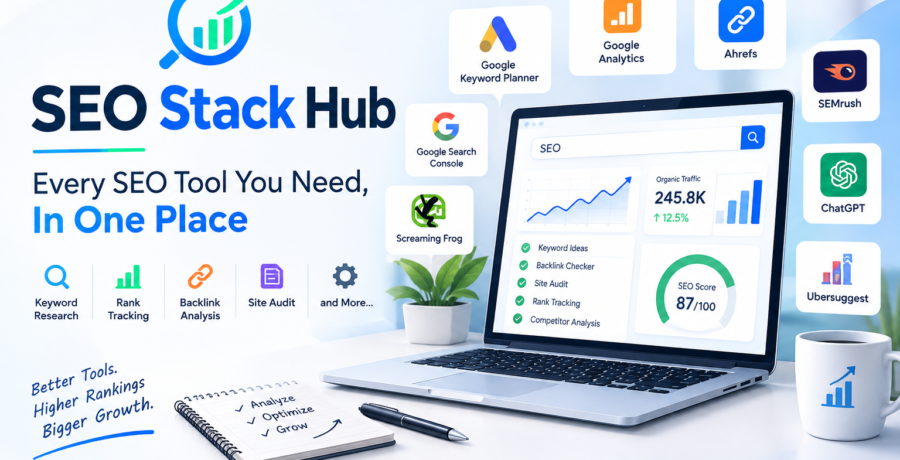
SEO Stack Hub: Every SEO Tool You Need, In One Place

 Digital Marketing
 Word counters, meta generators, and a fully organized directory linking to the industry's best keyword, audit, and backlink tools — free ones you can use instantly, paid ones clearly marked.
Search engine optimization isn’t short on tools — it’s short on organization. Between keyword research platforms, technical auditors, backlink checkers, rank trackers, and content graders, most marketers end up with a browser full of bookmarked logins and a monthly bill that keeps climbing. The real problem isn’t a lack of tools. It’s the lack of a single, sane place to find, compare, and use the right one for the job.
That’s exactly the gap SEO Stack Hub was built to close — a single destination where every essential SEO tool lives in one place, so you spend less time hunting for software and more time actually improving rankings.
This guide breaks down what a complete SEO toolkit actually looks like, how to choose between free and paid options, and how to build a stack that fits your workflow instead of fighting it.
Why Most SEOs Waste Time Juggling Too Many Tools
Ask any in-house marketer or agency freelancer how many SEO tools they’ve signed up for over the years, and the number is rarely small. It’s common to see:
- One tool for keyword research
- A different one for technical audits
- A third for backlink monitoring
- A fourth (or fifth) for rank tracking
- Separate browser extensions for quick on-page checks
Each tool solves a narrow problem well, but switching between five different dashboards, five different login screens, and five different sets of metrics slows everyone down. Worse, it makes it easy to miss the bigger picture — a technical issue flagged in one tool might explain a ranking drop that shows up in a completely different one, and if you’re not cross-referencing regularly, the connection gets missed entirely.
A curated hub — like SEO Stack Hub — solves this by centralizing tool discovery. Instead of researching “best keyword research tool 2026” and “best technical SEO crawler” as two separate searches, you get a single, organized starting point.
What Makes an SEO Tool Stack “Complete”?
A genuinely complete SEO toolkit covers six core categories. Missing any one of them creates a blind spot in your strategy.
1. Keyword Research
Keyword research tools help you understand search volume, competition, and — increasingly — search intent. Modern keyword tools go beyond volume numbers to show related questions, seasonal trends, and SERP feature presence (featured snippets, People Also Ask boxes, local packs).
What to look for:
- Accurate, regularly updated search volume data
- Keyword difficulty scoring
- Question-based and long-tail keyword suggestions
- SERP feature visibility
For a deeper breakdown of the specific keyword research tools worth using this year, see our keyword research tools guide.
2. On-Page & Technical SEO
Technical SEO tools crawl your site the way search engine bots do, surfacing issues like broken links, duplicate meta tags, missing alt text, slow-loading pages, and crawlability problems. These issues are often invisible unless you’re actively auditing for them.
Common technical checks include:
- Core Web Vitals performance
- XML sitemap and robots.txt validation
- Duplicate content and canonical tag issues
- Mobile usability
Google’s own Search Central documentation is a useful baseline reference for understanding which technical factors Google considers foundational to crawlability and indexing.
3. Backlink & Off-Page Analysis
Backlinks remain one of the strongest ranking signals, but not all links are created equal. Backlink analysis tools help you monitor your existing link profile, identify toxic or spammy links, and research competitor backlink sources for outreach opportunities.
Key features to prioritize:
- Domain authority / domain rating metrics
- New and lost backlink alerts
- Anchor text distribution analysis
- Competitor gap analysis
4. Rank Tracking
Rank tracking tools monitor where your pages sit in search results over time, across desktop and mobile, and often across multiple geographic locations. Without consistent rank tracking, it’s difficult to tell whether an SEO change actually worked or whether rankings shifted for unrelated reasons.
5. Content Optimization
Content optimization tools analyze your draft against top-ranking competitors, suggesting related terms, ideal content length, and readability improvements. Used well, they help you write content that’s genuinely more comprehensive — not just longer for the sake of it.
For practical guidance on structuring content that satisfies both readers and search engines, our on-page content optimization guide walks through the process step by step.
6. Local SEO
If your business serves a specific geographic area, local SEO tools — covering Google Business Profile optimization, citation building, and local rank tracking — are non-negotiable. Local pack visibility often drives more conversions than organic rankings alone.
A Closer Look: What Separates a Good Tool From a Great One
Within each of the six categories above, quality varies enormously. Two keyword research tools might both claim “accurate search volume,” but one pulls from a small, infrequently refreshed dataset while the other updates weekly against real click-through data. A few practical ways to tell the difference before committing to a subscription:
- Check the data refresh rate. Stale backlink or keyword data is often worse than no data, because it leads to decisions based on outdated conditions.
- Look for transparent methodology. Reputable tools explain, at least at a high level, how they estimate metrics like difficulty or domain authority. Vague “proprietary algorithm” claims with no explanation are a yellow flag.
- Test the export and reporting options. If you can’t easily pull data into a spreadsheet or client-facing report, the tool will slow down your workflow no matter how good its dashboard looks.
- Read recent reviews, not just the marketing page. Tools change pricing tiers and feature sets often; a review from two years ago may no longer reflect what you’d actually get today.
How AI Is Changing the SEO Tool Landscape
Over the past couple of years, most major SEO platforms have added AI-assisted features — automated content briefs, AI-generated meta descriptions, predictive ranking models, and natural-language querying of site data. These additions are genuinely useful for speeding up repetitive tasks, but they come with a caveat worth remembering: AI suggestions are a starting point, not a final answer.
A content brief generated by an AI tool might miss nuance specific to your industry or audience. A predictive ranking score might not account for an algorithm update that happened last week. Treat AI features in your SEO stack the way you’d treat a knowledgeable junior analyst — a genuine time-saver, but one whose output still benefits from a second, human pass before it goes live.
This is also where a curated resource matters more, not less. As more tools bolt on overlapping AI features, distinguishing genuinely useful additions from marketing buzzwords gets harder — another reason a categorized, regularly reviewed hub like SEO Stack Hub saves real research time.
Free vs. Paid SEO Tools: What’s Actually Worth Paying For
One of the most common questions is whether free tools are “good enough,” or whether paid platforms are worth the monthly cost. The honest answer: it depends on your scale and how often you rely on the data.
| Category | Free Option Strength | Paid Option Strength |
|---|---|---|
| Keyword Research | Good for basic volume and idea generation | Deeper difficulty scoring, historical trends, intent data |
| Technical Audits | Fine for small sites (under ~500 pages) | Scheduled crawls, larger site limits, deeper issue detection |
| Backlink Analysis | Limited data freshness and volume | Larger, more frequently updated link indexes |
| Rank Tracking | Manual or limited keyword counts | Automated daily tracking across many keywords/locations |
| Content Optimization | Basic readability checks | Competitor-based content scoring and gap analysis |
A practical rule of thumb: if you’re running a single small site and checking SEO health monthly, free tools will usually cover your needs. If you’re managing multiple sites, running client work, or optimizing at scale, the time saved by paid tools typically outweighs the subscription cost within the first few months.
Google’s own Search Console remains one of the best free tools available regardless of scale — it’s the only tool that shows you data directly from Google’s index, including actual click and impression data, which no third-party tool can fully replicate.
How to Build Your Own SEO Tool Stack (Step by Step)
Rather than signing up for every tool that shows up in a “best SEO tools” listicle, build your stack deliberately:
- Start with your biggest bottleneck. If you don’t know why traffic dropped, prioritize a technical audit tool. If you’re publishing content that never ranks, start with keyword and content optimization tools.
- Pick one tool per category — not three. Overlapping tools rarely justify their combined cost. Choose the strongest option in each of the six categories above and commit to it for at least a quarter before switching.
- Set a recurring audit schedule. Weekly rank checks, monthly technical crawls, and quarterly backlink audits are a reasonable cadence for most small-to-midsize sites.
- Centralize your reporting. Whether it’s a shared spreadsheet or a dashboard tool, keep key metrics (rankings, organic traffic, top issues) in one place so trends are easy to spot across tools.
- Revisit your stack every 6–12 months. SEO tools evolve quickly — a tool that was the best option last year may have been outpaced by a competitor with better data or AI-assisted features.
Browsing a curated, categorized list — like the one on SEO Stack Hub — makes step 2 significantly faster, since tools are already grouped by function instead of buried in generic “top 50” roundup articles.
A Practical Example: Diagnosing a Traffic Drop
To see how a complete tool stack works together in practice, consider a common scenario: organic traffic drops 20% over two weeks with no obvious cause.
- Start with rank tracking. Check whether specific keywords lost positions, or whether the drop is spread evenly across the site. A concentrated drop points to a content or algorithm issue; a broad drop often points to a technical one.
- Cross-check with Search Console. Look for changes in impressions versus clicks. A drop in impressions suggests a ranking or indexing issue; a drop in clicks with stable impressions suggests a SERP display problem, like a lost featured snippet or a competitor outranking you on click-through appeal.
- Run a technical crawl. Confirm nothing changed on the site itself — a botched deployment, an accidentally added
noindextag, or a spike in page load time can all silently tank rankings. - Check backlink alerts. A sudden loss of high-authority backlinks, or a spike in spammy new links, can also explain a ranking dip.
- Review recent content changes. If pages were edited, consolidated, or removed around the time of the drop, that’s often the simplest explanation of all.
Without the right combination of tools — rank tracking, first-party analytics, a technical crawler, and backlink monitoring — this kind of diagnosis becomes guesswork. With them, it’s usually a 30-minute investigation.
Common Mistakes When Choosing SEO Tools
Even experienced marketers fall into a few recurring traps when building their toolkit:
- Chasing the “best” tool instead of the right-fit tool. The most feature-rich platform isn’t always the best choice if it’s overkill for your site size or team.
- Ignoring data source differences. Different tools pull backlink and keyword data from different indexes, so numbers will never match exactly across platforms — that’s normal, not a bug.
- Over-relying on automated content scores. Content optimization tools are guides, not gospel. Writing purely to hit a score can produce content that reads unnaturally.
- Forgetting to cross-check with Google’s own data. Third-party tools estimate; Search Console and Analytics report what actually happened. Always validate major decisions against first-party data.
- Letting subscriptions pile up. It’s easy to accumulate tools over years without auditing whether you still use them. Review your active subscriptions at least twice a year.
How SEO Stack Hub Brings It All Together
Instead of researching each tool category separately, SEO Stack Hub organizes the entire SEO tool landscape — keyword research, technical audits, backlink analysis, rank tracking, content optimization, and local SEO — into one browsable hub. The goal is simple: fewer open tabs, faster decisions, and a stack built around what actually moves your rankings.
For related deep dives, check out our guides on technical SEO tools and backlink analysis tools, which expand on the categories covered above with more detailed comparisons.
Frequently Asked Questions
Do I need paid SEO tools to rank well? No. Many sites rank successfully using free tools like Google Search Console combined with careful, consistent optimization. Paid tools primarily save time and provide deeper competitive data — they don’t replace good strategy.
How many SEO tools should I actually use? Most sites do well with one solid tool per core category (keyword research, technical audits, backlinks, rank tracking, content optimization) — roughly 3–5 tools total, rather than a dozen overlapping subscriptions.
How often should I run a technical SEO audit? For most small-to-midsize sites, a full technical crawl once a month is sufficient, with lighter automated monitoring in between for critical errors like broken pages or indexing issues.
Are free and paid keyword tools really that different? The core keyword suggestions are often similar, but paid tools typically offer more accurate difficulty scoring, larger historical datasets, and better filtering — useful once you’re managing keyword strategy at scale.
Can I rely entirely on AI features built into modern SEO tools? AI-assisted features are useful for speeding up research and drafting, but they work best as a starting point. Human review still matters, especially for industry-specific nuance and recent algorithm changes that AI models may not fully account for yet.
What’s the biggest sign that my current SEO tool stack isn’t working? If you’re regularly duplicating work across tools, seeing conflicting data with no clear explanation, or avoiding a tool because it’s too complex to use consistently, it’s usually a sign the stack needs to be simplified rather than expanded.
Final Thoughts
Building an effective SEO strategy doesn’t require dozens of tools — it requires the right ones, used consistently. Start with the six core categories, pick one tool per category deliberately, and revisit your stack periodically as your site and your needs grow.
For a faster starting point, browse the full, categorized directory at SEO Stack Hub — every essential SEO tool, organized in one place, so you can spend less time researching software and more time improving results.