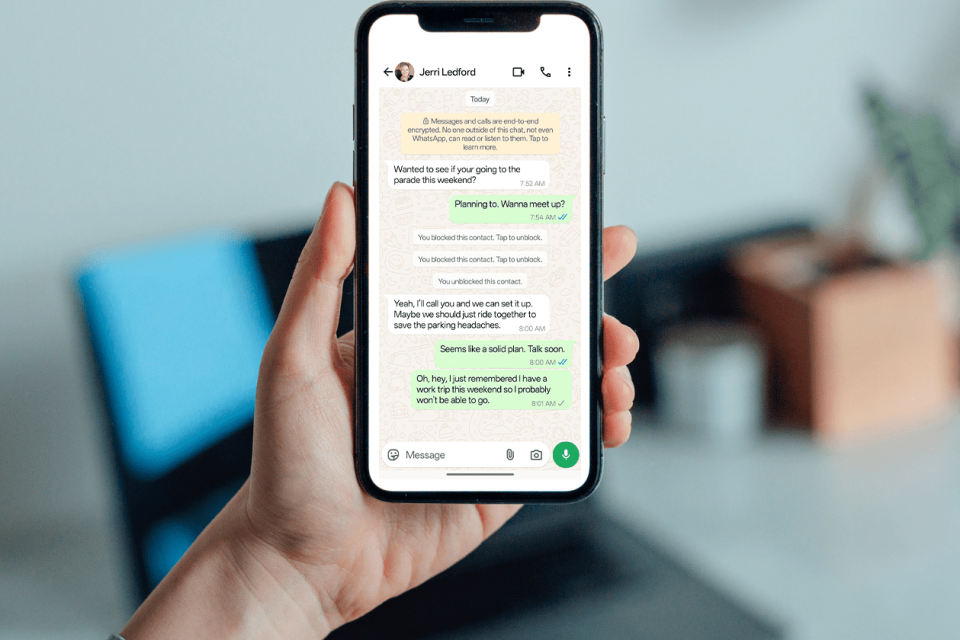
WhatsApp remains one of the most popular messaging apps, with billions of users relying on it for personal and professional communication. However, relationships can shift, and sometimes people choose to limit contact by blocking others. The platform respects user privacy by not notifying anyone when they’ve been blocked, leaving many to wonder: how to know if someone blocked you on WhatsApp without messaging them?
This detailed guide explores the subtle and not-so-subtle indicators, practical verification methods that avoid sending messages, real-world scenarios, expert tips, and more. Whether you’re concerned about a friend, colleague, or family member, you’ll gain clear insights to understand the situation respectfully and move forward.
Understanding WhatsApp Blocking: What Happens Behind the Scenes
When someone blocks you on WhatsApp, the app severs most forms of direct interaction while maintaining a seamless experience for the blocker. According to WhatsApp’s official help resources, blocked contacts cannot see the blocker’s profile updates, last seen, online status, or new status stories. Messages and calls from the blocked user fail to deliver properly.
Importantly, WhatsApp does not send any notification or pop-up. This design prioritizes privacy. One or two signs might stem from privacy settings or technical issues, but a consistent pattern across multiple indicators strongly suggests a block.
Key Principle: Always look for combinations of signs rather than relying on a single clue. This approach helps distinguish blocking from other common scenarios like network problems, privacy changes, or deleted accounts.
Primary Signs: How to Know If Someone Blocked You on WhatsApp
Here are the most reliable visual and functional indicators you can check without initiating new contact.
1. Profile Picture Disappears or Appears Blank
One of the quickest checks is the contact’s profile picture. If it previously showed a personal photo but now displays a default gray silhouette or remains blank, it could indicate a block.
- Open the chat or contact info.
- Observe if the image is missing or frozen at an old version.
Real-World Example: Sarah noticed her colleague’s vibrant profile photo vanished overnight after a minor disagreement. Combined with other signs, it confirmed the block.
Caveat: The person might have simply removed their photo or set it to private for non-contacts. Cross-reference with other indicators.
2. Last Seen and Online Status Vanish
Under the contact’s name in the chat, you should normally see “last seen” timestamps or “online” when they’re active. If this information disappears entirely (especially if visible for other contacts), it’s a strong clue.
WhatsApp allows users to hide “Last Seen and Online” via Settings > Privacy, but blocking hides both simultaneously and specifically for the blocked person. If you see statuses for everyone else but not this contact, the likelihood increases.
Pro Tip: Check during times when the person is typically active based on past patterns.
3. No Updates to Profile or Statuses
Blocked users stop receiving profile picture updates, “About” info changes, or new status updates (stories). If their profile seems frozen while mutual friends report recent changes, this adds evidence.
This is particularly noticeable for active users who frequently update their presence.
Methods to Check Without Sending Messages or Calls
The title question emphasizes discretion. Here are non-intrusive ways:
Check Encryption Verification (Advanced Clue)
A lesser-known method involves WhatsApp’s end-to-end encryption feature:
- Open the existing chat.
- Tap the contact’s name at the top.
- Scroll to Encryption and attempt verification.
If automatic verification repeatedly fails (while succeeding for other chats), it may suggest a block, though other factors like device changes can cause this too.
This method avoids any outgoing communication.
Observe Through Mutual Groups or Contacts
- In shared group chats, check if their messages or presence behave normally for others but not you.
- Ask a trusted mutual contact (without drama) if they can see recent activity.
Note: Respect privacy—avoid turning this into gossip.
Stronger Indicators That Often Confirm Blocking
While the query focuses on no messaging, understanding these helps build a complete picture.
Messages Stuck on One Gray Tick
Normally:
- One gray tick: Sent from your device.
- Two gray ticks: Delivered.
- Two blue ticks: Read (if enabled).
If messages remain on one tick indefinitely, delivery is failing— a classic block sign, though offline devices can mimic this temporarily.
Calls Fail to Connect
Voice or video calls ring on your end but never reach the recipient or show “Ringing.” This is highly indicative when combined with other signs.
Inability to Add to a New Group
Try creating a test group and adding the contact. An error like “Can’t add participant” is one of the most definitive non-messaging tests.
Comparison Table: Block vs. Other Scenarios
| Sign | Likely Block | Privacy Settings | Technical Issues | Reliability |
|---|---|---|---|---|
| Blank Profile Picture | Yes | Possible | Rare | Medium |
| No Last Seen/Online | Yes | Possible (Everyone/Nobody) | Temporary | Medium |
| One Gray Tick (Persistent) | High | No | Offline/Phone Off | High |
| Failed Calls | High | No | Network | High |
| Can’t Add to Group | Very High | No | Rare | Very High |
| Frozen Profile Updates | Yes | No | Deleted Account | Medium-High |
This table helps beginners quickly assess situations.
What If It’s Not a Block? Common Alternatives and Misconceptions
Many factors mimic blocking:
- Privacy Settings: Users can hide info from “Nobody” or specific lists.
- Account Deletion or Inactivity: Deleted accounts show similar symptoms.
- Network Problems: Poor internet on their end.
- App Updates or Bugs: Occasional glitches.
Expert Advice: Wait 24-48 hours and recheck multiple signs. If ambiguity remains, consider if the relationship warrants direct (respectful) conversation.
Practical Examples and Real-World Scenarios
- Ex-Partner Scenario: After a breakup, profile photo and last seen disappear, calls fail. Multiple signs confirm the block—time to focus on healing.
- Work Colleague: Sudden lack of responses and status visibility after a project dispute. Verify via group chat behavior.
- Old Friend: One tick persists, but they might be traveling without data. Cross-check with mutual friends.
These examples illustrate that context matters. Emotional intelligence helps interpret signals without jumping to conclusions.
Expert Tips for Handling the Situation Gracefully
- Respect Boundaries: If blocked, give space. Forcing contact via other platforms can worsen things.
- Self-Reflection: Use the moment to evaluate past interactions.
- Document Patterns: Note dates of changes for personal clarity (without stalking).
- Alternative Communication: If essential (e.g., shared responsibilities), use email or mutual contacts professionally.
- Update Your Privacy: Review your own settings at Settings > Privacy to understand controls better.
For more on optimizing your messaging setup, check this guide on mobile triple screen setup simracing from BusinessToMark.com for productivity tips.
Benefits and Drawbacks of WhatsApp’s Blocking System
Benefits:
- Enhances user safety and privacy.
- Reduces harassment.
- Simple and effective.
Drawbacks:
- Creates uncertainty for the blocked party.
- No official confirmation leads to speculation.
- Potential for miscommunication in important relationships.
Overall, the system’s privacy focus outweighs drawbacks for most users.
Additional Subheading: How Privacy Settings Affect Detection
WhatsApp’s granular privacy options (Last Seen, Profile Photo, Status) can confuse detection. Blocking overrides these specifically for the blocked user, creating a unique “invisible” effect. Understanding this distinction is key.
Additional Subheading: Using WhatsApp Web or Linked Devices for Verification
Access WhatsApp Web on a computer to view the same indicators. Consistency across devices strengthens conclusions.
Additional Subheading: What Happens When You Block Someone
For balance, blocking hides your info from them too. It’s mutual in effect.
Additional Subheading: Staying Safe and Informed on Messaging Apps
Learn more about digital etiquette in this BusinessToMark.com article on communication tools.
FAQs on How to Know If Someone Blocked You on WhatsApp
Does WhatsApp notify when blocked? No.
Can I confirm with a second account? Yes, but use ethically—create a new number and check visibility.
What about business accounts? Similar rules apply.
Is there a surefire way? No single method is 100% foolproof; combinations are best.
Conclusion
Determining how to know if someone blocked you on WhatsApp without messaging them relies on observing multiple subtle signs: missing profile pictures, vanished last seen/online status, frozen updates, and verification clues. While no method offers absolute certainty due to privacy features, a pattern of these indicators provides strong evidence.
Key takeaways:
- Prioritize combinations over single signs.
- Respect the other person’s choice.
- Focus on your well-being and healthier connections.
- Use WhatsApp’s tools mindfully.
By staying informed and empathetic, you navigate these situations with confidence. For more technology guides, visit BusinessToMark.com resources on digital communication best practices.
External References:
- WhatsApp Help Center on Blocking
- Insights from Make Tech Easier and Guiding Tech.
- WABetaInfo for feature updates.
- Beebom and Digital Trends for user-friendly explanations