
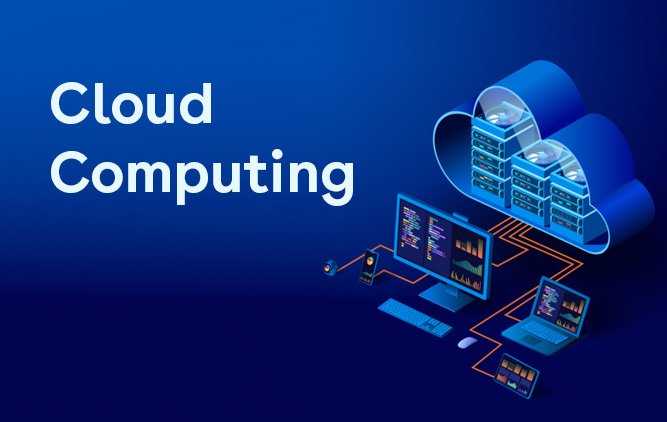
Cloud computing has changed the way people store data, run software, and build digital services. At its heart, the answer to which is the most essential concept related to cloud computing is simple: on-demand access to shared computing resources through the internet. That idea is the foundation of the cloud, and it explains why cloud systems feel flexible, scalable, and easy to use compared with older local setups. NIST defines cloud computing as convenient, on-demand network access to a shared pool of configurable resources that can be rapidly provisioned and released with minimal management effort.
Cloud computing is not only a technical topic. It is also a practical business method. Companies use it to launch websites, store files, support remote teams, and deliver apps to users around the world. Students, freelancers, and small business owners also benefit from cloud tools because they reduce the need for expensive equipment and complex maintenance. A cloud service can be as simple as online storage or as advanced as a complete platform for software development and analytics. The most important idea behind all of it is still the same: resources are delivered when needed, over a network, and scaled according to demand.
Understanding the cloud in plain language
Think of cloud computing as access rather than ownership. Instead of buying a large server and keeping it in one room, users access computing power, storage, and applications from a remote provider. This makes the cloud feel more like a utility than a fixed machine. People turn it on when needed, use what they need, and release it when finished. That utility-style model is one reason cloud computing became so important in modern work, especially as internet access and distributed teams became common.
The beauty of the cloud is not that it is mysterious. The real power lies in its simplicity. A person can open a browser, sign in, and immediately reach files or software without installing everything manually on a local device. A business can add more capacity during busy periods and reduce it later when demand falls. This adaptability helps reduce waste and makes technology more responsive to real-world needs. In other words, the cloud is less about a place and more about a service model.
The essential concept that holds everything together
The key idea that makes cloud computing work is shared, remotely delivered resources that can be provisioned on demand. That single concept connects storage, applications, networking, databases, and development tools. It also explains why the cloud is so closely linked to scalability. If a service suddenly has more users, the provider can add more resources. If demand falls, those resources can be reduced. That elasticity is one of the main reasons cloud systems are widely used today.
This concept matters because it changes the economics of technology. Traditional computing often required heavy upfront investment and ongoing upkeep. Cloud computing shifts many of those burdens to service providers and makes advanced tools available in smaller, more manageable chunks. For startups, that can mean a faster launch. For larger organizations, it can mean easier expansion into new regions or markets. For individuals, it can mean getting powerful services without buying powerful hardware.
Why cloud computing is built on access, not location
One of the biggest mistakes beginners make is thinking cloud computing is mainly about remote storage. Storage is only one part of the picture. The more accurate view is that cloud computing delivers a shared pool of resources through the network. Those resources can include servers, databases, virtual machines, applications, and development tools. The location of the data center matters to the provider, but the end user mostly experiences the service through access and convenience.
This is also why cloud systems are so useful in modern workflows. A team can collaborate from different cities or countries while using the same software and the same files. Updates happen centrally, and users do not need to manage every technical detail on their own. That broad network access is part of the cloud model itself, not an optional bonus. It helps explain why the cloud has become central to remote work, online learning, digital services, and customer-facing applications.
Service models: the cloud in different forms
Cloud computing is usually described through service models such as IaaS, PaaS, and SaaS. NIST identifies these as the classic cloud service models. IaaS gives users access to infrastructure such as virtual machines and storage. PaaS provides a platform for building and deploying applications without handling as much underlying system management. SaaS delivers complete software applications over the internet. These models matter because they show that cloud computing is not one thing; it is a family of delivery methods built around the same essential concept.
A small company might use SaaS for email, file sharing, and accounting. A development team might use PaaS to build a web app faster. An enterprise with specialized needs might use IaaS to control a custom environment. Even though the service models look different, each one still depends on the same cloud principle: configurable resources are delivered on demand through the network. That is why the concept remains the most important idea to understand before anything else.
Deployment models and practical fit
Cloud deployment models are another useful way to understand how the cloud works in real life. Public cloud, private cloud, and hybrid cloud are the most familiar examples. Public cloud services are shared across many customers and are usually flexible and cost-efficient. Private cloud environments are reserved for one organization and may offer more control. Hybrid cloud combines elements of both, letting businesses place different workloads where they fit best. These deployment choices do not change the core cloud idea; they simply show how organizations adapt it to their own needs.
This flexibility is one reason the cloud has become so widely adopted. A university may use public cloud tools for student collaboration. A hospital may prefer private or hybrid systems for sensitive workloads. A retailer may combine cloud services to handle traffic spikes during busy seasons. The cloud succeeds because it is not rigid. It can be shaped to fit different goals, industries, and levels of technical maturity.
Why the concept matters for business growth
Businesses care about cloud computing because it helps them move faster. Instead of waiting weeks or months to buy hardware, install software, and configure systems, they can start using cloud services almost immediately. That speed can be valuable when launching a new product, testing a new market, or supporting a sudden surge in customer activity. NIST’s definition highlights rapid provisioning and release, which is exactly the kind of agility modern businesses want.
Cloud computing also supports better planning. Because services scale more flexibly, organizations can match technology use to actual demand. That reduces waste and can make budgeting easier. A company may begin with a small cloud setup and grow gradually as its audience expands. The cloud therefore supports both caution and ambition: it lets businesses start small without blocking future growth.
Security, responsibility, and smart use
Security is one of the most important topics in cloud computing. The cloud can be highly effective, but it still requires careful management. Users must understand that moving systems to the cloud does not remove the need for strong passwords, access control, backups, and good administrative practices. The cloud makes resources easier to reach, which is helpful, but that same accessibility means organizations must be disciplined about protection.
That is why businesses often pair cloud adoption with other security measures. For example, Business To Mark’s guide on hardware firewall protection is a useful related read for anyone building stronger network defenses. Another practical companion piece is best malware scanning software for real-time protection, especially for teams that want safer endpoints alongside cloud services. The cloud works best when it is part of a wider security plan, not a standalone shortcut.
Cloud computing and remote collaboration
One of the cloud’s biggest strengths is collaboration. Multiple people can open the same documents, use the same tools, and work from different places without having to pass files back and forth manually. That is why cloud apps are now common in offices, schools, and creative teams. Broad network access is one of the cloud’s essential characteristics, and it is what makes this kind of teamwork possible.
This is also where cloud computing helps reduce friction in daily work. Updates can be synchronized centrally. Team members can log in from different devices. A project can continue even when people are not in the same building. For many organizations, this has changed expectations about work itself. Cloud systems do not just make work faster; they make it more flexible and more location-independent.
Related reading for practical workflows
For teams that create tutorials, demos, or internal guides, Business To Mark’s how to make clear screen videos without paying for software can be a helpful companion. Another useful article is how to record smoothly on a modest computer, which fits well with cloud-based collaboration and remote work habits. These resources show that cloud computing often works best when it supports the whole workflow, not just one isolated tool.
Cloud computing and scalability
Scalability is one of the most important reasons people adopt cloud services. When traffic rises, cloud systems can expand more easily than traditional local systems. When traffic falls, resources can be reduced. That elasticity helps businesses avoid paying for capacity they are not using while still being ready for growth. This is a practical expression of the cloud’s core principle: resources are available when needed and can be released when they are no longer required.
Scalability is especially valuable for websites, apps, and online services that experience uneven demand. A campaign may go viral. A store may face holiday traffic. A learning platform may see seasonal enrollment changes. Cloud computing gives these businesses room to respond without rebuilding their systems every time conditions change. That is why cloud architecture is so closely tied to modern digital growth.
The role of virtualization
Virtualization is one of the enabling technologies behind cloud computing. It allows physical hardware to be divided into multiple virtual environments, making better use of available resources. This is one reason cloud providers can offer flexible services to many users at once. Virtualization helps turn one large set of physical machines into a more efficient, adjustable service layer.
You do not need to master virtualization to benefit from cloud tools, but understanding the idea helps explain why the cloud is so efficient. Instead of tying every application to one machine, virtualization helps systems become more portable and easier to manage. That portability supports backup, scaling, testing, and rapid deployment. It is one of the hidden engines behind the cloud experience that users see on the surface.
Cost control and resource efficiency
Cloud computing can help organizations use resources more efficiently because they can match capacity to actual usage. This is a major reason many businesses move toward cloud services. They want to spend more precisely, avoid idle infrastructure, and react quickly to change. NIST’s description of rapid provisioning and release captures this flexibility well.
That said, good cost control still requires discipline. Cloud services are easy to start, but they can become expensive if teams leave unnecessary resources running or choose overly large plans. The cloud rewards attention. It is not simply cheaper by default; it is more efficient when managed well. This is why smart teams regularly review usage, remove unused services, and set clear governance rules.
Common mistakes to avoid
A common mistake is treating cloud computing as a magic fix. It is not magic. It is a delivery model with strengths and trade-offs. Another mistake is choosing cloud tools without understanding the underlying service model. SaaS, PaaS, and IaaS solve different problems. Picking the wrong one can create confusion, unnecessary cost, or limited flexibility.
Another error is ignoring governance. Teams sometimes move quickly to the cloud but forget to define access rules, backup routines, and responsibility boundaries. That can make even a strong cloud setup harder to manage. The best results come when cloud adoption is planned carefully and connected to a broader strategy for security, cost, and performance.
Learning to see the cloud as a strategy
Once you understand the most essential concept related to cloud computing, the rest becomes much easier to understand. The cloud is a way to deliver computing power, storage, and software on demand through the network. Everything else builds on that base. Service models explain how the cloud is offered. Deployment models explain where it is used. Security practices explain how it is protected. Scalability explains why it is valuable.
For readers who like a broader overview, Wikipedia’s article on cloud computing gives a useful general summary of the topic. It is a good companion to the more formal NIST definition because it helps connect the concept to real-world terms and examples. Using both together can make the cloud easier to understand from both a technical and a practical angle.
Final thoughts
The cloud is now a normal part of modern digital life, but its core idea is still beautifully simple. The most important concept is on-demand access to shared computing resources over a network. Once that is clear, cloud terminology becomes much less intimidating. You can see why businesses adopt it, why developers rely on it, and why everyday users benefit from it.