The Impact of Background Removal in Advertising and Marketing

 Business
 The Impact of Background Removal in Advertising and Marketing
In today’s digital age, image editing has become an integral part of various industries, from graphic design to e-commerce. One common task in image editing is removing backgrounds to isolate objects or people. This article serves as a comprehensive guide to background remover tools and techniques, providing a detailed explanation of their functionality and benefits. Whether you’re a professional designer or a casual user, understanding background removal will enhance your image editing skills and enable you to create visually appealing content. Let’s dive into the world of background removers!
-
What is a Background Remover?
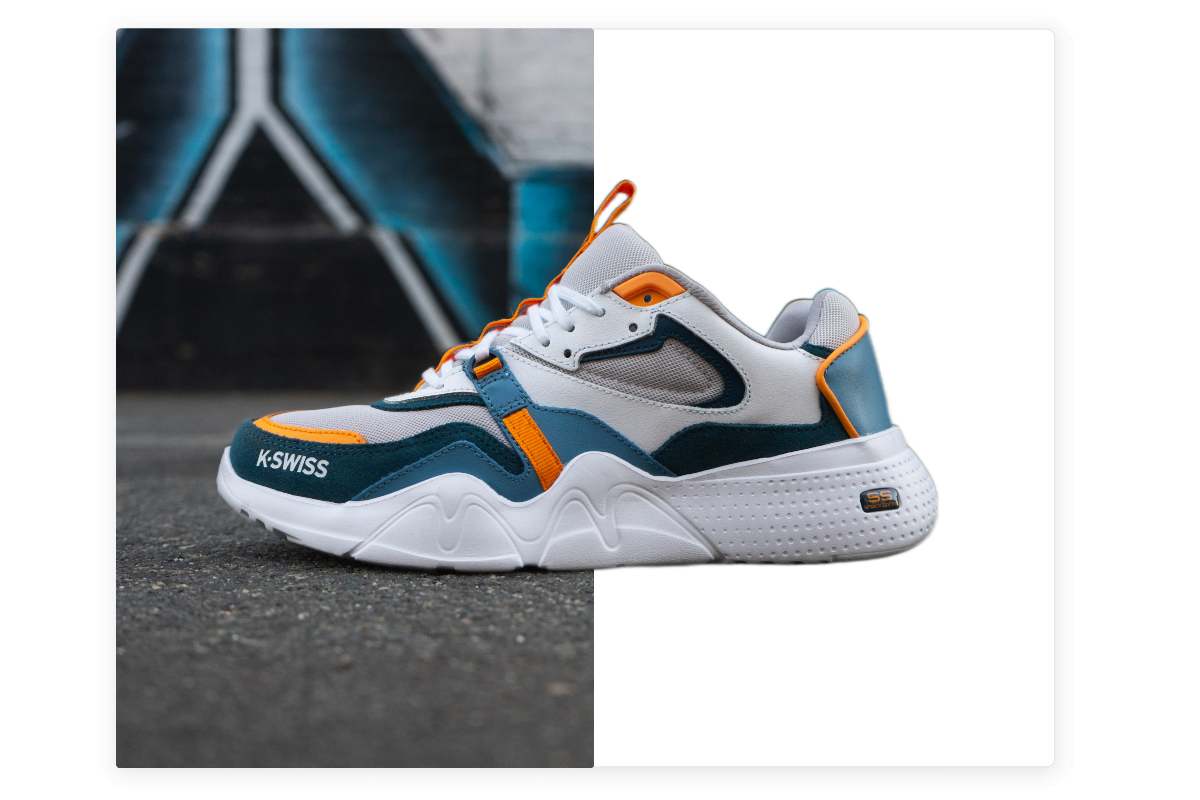
A background remover is a software tool or technique that allows you to separate the foreground subject from its background in an image. It helps you extract the desired object or person and eliminate unwanted elements. This process is often used to create product images for e-commerce, isolate people for portrait photography, or generate transparent backgrounds for graphic design projects.
-
Manual Background Removal Techniques
Before diving into automated background remover tools, it’s essential to understand manual techniques. Manual background removal involves using image editing software, such as Adobe Photoshop, to carefully select and remove the background. This technique requires time, skill, and attention to detail, making it ideal for complex images with intricate edges. By using various selection tools like the Pen Tool, Magic Wand, or Quick Selection Tool, you can precisely outline the subject and delete the background.
-
Automated Background Remover Tools
With advancements in machine learning and artificial intelligence, automated background remover tools have gained popularity. These tools use sophisticated algorithms to analyse images and identify the foreground subject automatically. They save time and effort compared to manual techniques, especially when dealing with large batches of images. Some popular background remover tools include:
Remove.bg: This online tool uses AI to remove backgrounds with a single click. It’s user-friendly and works well with images containing people.
Adobe Photoshop’s Select Subject: Photoshop’s Select Subject feature leverages AI to detect and select the primary subject in an image, making background removal quicker and more accurate.
GIMP’s Foreground Select Tool: GIMP (GNU Image Manipulation Program) offers a powerful Foreground Select Tool that allows users to mark the foreground and background areas manually. The tool then intelligently selects the subject for extraction.
-
Tips for Effective Background Removal
To achieve optimal results when using a background remover, consider the following tips:
Choose the right tool: Each background remover tool has its strengths and limitations. Experiment with different tools to find the one that suits your specific image and requirements.
Check and refine the edges: After removing the background, zoom in and inspect the edges of the subject. Use tools like the Eraser or Refine Edge to clean up any rough edges and achieve a more polished result.
Save images in appropriate formats: Depending on your use case, save the extracted image with a transparent background in a format that supports transparency, such as PNG.
Practise selective background removal: Sometimes, removing the entire background may not be necessary. In certain situations, selectively removing or replacing specific elements of the background can enhance the overall image composition.
-
Conclusion
Background removal is an essential skill in image editing, enabling professionals and enthusiasts alike to create visually appealing content. Whether you choose manual techniques or leverage automated tools, understanding the background remover process enhances your ability to isolate subjects effectively. By selecting the right tool, refining edges, and practising selective removal, you can achieve outstanding results. Stay updated with the latest background remover tools and techniques to keep pace with the ever-evolving world of image editing. Start experimenting with background removal today and unlock new possibilities in your creative endeavours!


