
In this article
- Introduction
- The Current State of Netflix in 2026
- Detailed Breakdown of Each Netflix Subscription Plan
- Cancellation Process: Step-by-Step (2026)
- Extra Member Sharing: What You Need to Know
- Plan Selection Guide: Real-World Scenarios
- Benefits vs. Drawbacks: A Rapid Comparison
- Expert Tips and Actionable Advice
- External Resources
- Conclusion: Making Your Final Choice
Introduction
If you’ve glanced at your streaming bill lately, you might have experienced a bit of sticker shock. In 2026, Netflix isn’t just the king of streaming—it’s also one of the most expensive, with its top-tier plan now costing nearly as much as a decent takeout meal. Following its March 2026 price hike, the service now ranges from $8.99 to $26.99 per month.
This makes choosing the right Netflix Subscription Plan more critical than ever. The wrong choice can leave you paying for premium 4K features you’ll never use or, conversely, stuck with annoying ads when you intended to watch ad-free. This comprehensive guide will walk you through every current tier, helping you determine exactly which plan offers the best value for your unique situation in 2026.
The Current State of Netflix in 2026
Before diving into the plans themselves, it’s helpful to understand the broader context. In March 2026, Netflix implemented its second major price adjustment in just over a year, increasing costs across all tiers. The company simultaneously discontinued its former Basic (ad-free) plan entirely, simplifying its offerings to just three primary options: Standard with Ads, Standard, and Premium.
 Also readWhat Is SpaceX and How Does It Work? A Complete Beginner’s Guide to Elon Musk’s Space Company in 2026
So why the price hikes? Netflix is pouring significant resources back into its content. The company is on track to spend **$20 billion** on content in 2026, up from $18 billion in 2025, covering everything from blockbuster original series to live events and gaming. Furthermore, the streaming landscape as a whole has become more expensive. Disney+, Hulu, and HBO Max have all rolled out price increases over the past year, making Netflix’s moves part of a broader industry trend.
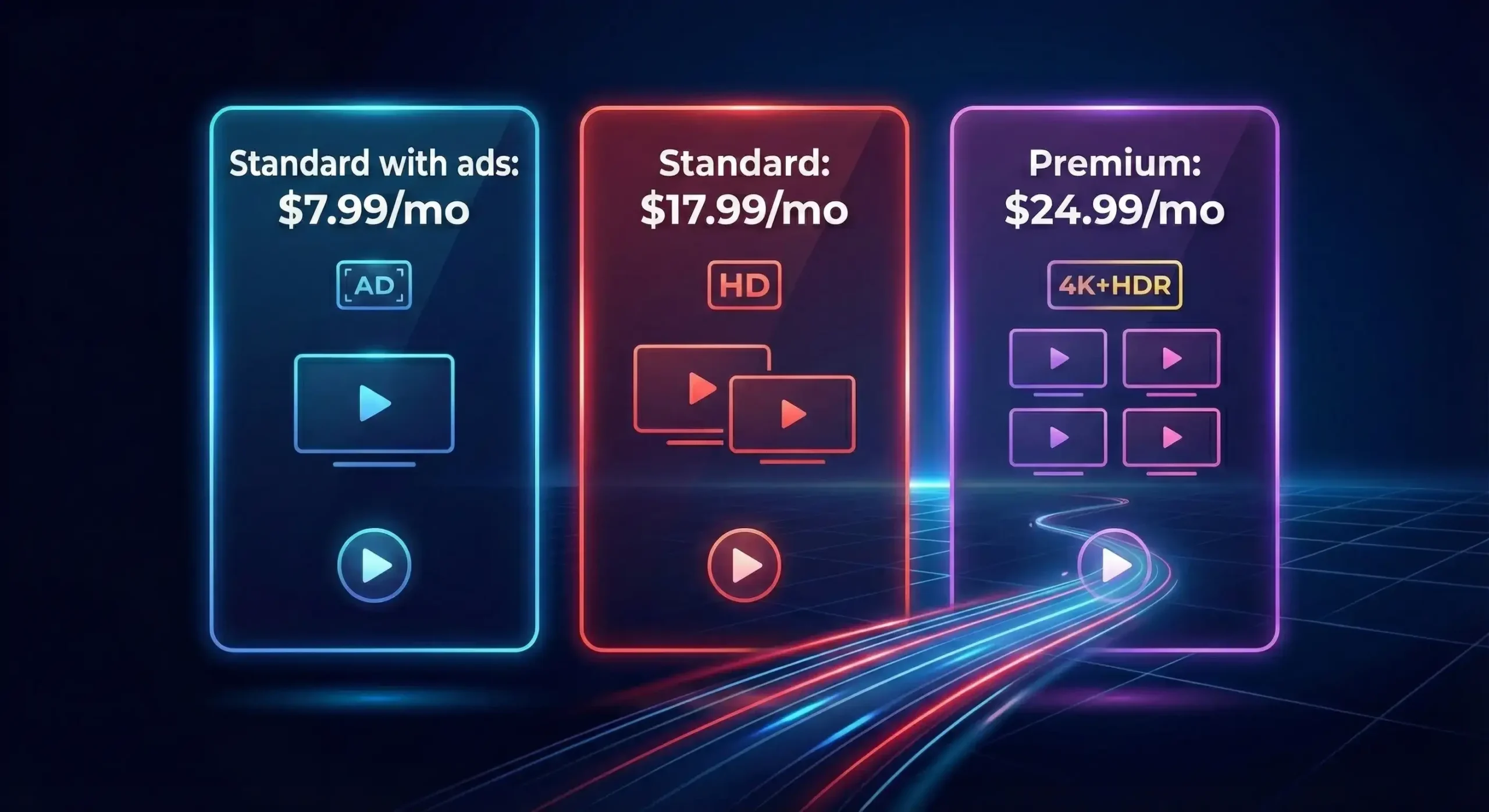
<div align=”center”> <h3 align=”center”>📊 Netflix Plan Comparison (as of March 2026)</h3> </div>
| Feature | Standard with Ads | Standard (No Ads) | Premium (No Ads) |
|---|---|---|---|
| Monthly Price (US) | $8.99 | $19.99 | $26.99 |
| Ads | Yes (approx. 4-5 min per hour) | No | No |
| Simultaneous Screens | 2 | 2 | 4 |
| Video Resolution | 1080p (Full HD) | 1080p (Full HD) | 4K Ultra HD + HDR |
| Downloads | 2 Devices | 2 Devices | 6 Devices |
| Spatial Audio | No | No | Yes |
| Extra Member Slots | 1 ($7.99/month w/ ads) | 1 ($9.99/month no ads) | 2 ($7.99/$9.99 each) |
| Library Access | Most titles (some locked) | Full Library | Full Library |
Detailed Breakdown of Each Netflix Subscription Plan
Let’s examine exactly what you get with each Netflix Subscription Plan.
1. Standard with Ads – The Budget-Friendly Choice ($8.99/month)
At $8.99 per month, this is the most affordable Netflix Subscription Plan available. It’s designed to attract price-conscious consumers and has proven incredibly successful. In fact, Netflix revealed this tier now accounts for more than 60% of all new sign-ups in advertising markets, making it the company’s primary growth driver.
Included Features:
-
Ad-supported access to most movies and TV shows (some titles remain unavailable and appear with a lock icon)
-
Stream in Full HD (1080p) on two supported devices simultaneously
-
Download content to up to two devices for offline viewing
-
Unlimited access to mobile games
The Ad Experience:
On average, you can expect about 4-5 minutes of ads per hour of viewing. This is comparable to traditional cable television but generally less intrusive than many free, ad-supported streaming services.
Expert Tip: This plan is an excellent entry point for solo viewers or couples who are relatively tolerant of commercials. According to CNBC, highly engaged viewers on ad-supported tiers are becoming incredibly valuable to Netflix as advertising revenue grows, and the company is investing heavily in making ad placements more targeted and less disruptive to the viewing experience.
2. Standard (No Ads) – The Middle Ground ($19.99/month)
Previously $17.99, the Standard plan now costs $19.99 per month. It removes all advertisements but otherwise offers nearly identical technical specifications as the ad-supported tier.
Included Features:
-
100% ad-free viewing across the entire library
-
Full HD (1080p) streaming on two devices simultaneously
-
Downloads on two devices
-
Option to add one extra member who doesn’t live in your household for an additional $9.99 per month
Who Is This For?
This plan has historically been Netflix’s most popular as it offers the best balance for households with multiple people who want an uninterrupted experience but don’t necessarily need 4K quality. It’s ideal for couples or small families sharing a subscription across two devices at peak times.
3. Premium – The Ultimate Experience ($26.99/month)
The Premium plan is Netflix’s flagship offering. Following the March 2026 increase, it now costs $26.99 per month, up $2 from its previous price. It’s designed for home theater enthusiasts and larger households.
Included Features:
-
Ad-free Ultra HD (4K) streaming with HDR support for stunning picture quality
-
Spatial audio support, creating a more immersive soundscape compatible with select audio equipment
-
Stream on four devices at the same time, eliminating conflicts for larger families
-
Download content to up to six devices for extensive offline watching
-
Option to add up to two extra members outside your household ($9.99 each per month)
The 4K Reality Check:
It’s important to note that simply subscribing to this Netflix Subscription Plan doesn’t guarantee 4K on every screen. Your TV or monitor must support 4K resolution, and you need a stable internet connection of at least 25 Mbps. If you’re primarily watching on a laptop or older television, you won’t see much difference from the Standard plan.
Cancellation Process: Step-by-Step (2026)
Decided a particular plan isn’t right for you? Canceling or changing your subscription is straightforward. Netflix has also recently implemented policies regarding inactive accounts. As of 2026, the company will automatically cancel subscriptions if an account has remained inactive for over a year, sending email notifications beforehand to ensure you have the option to keep your service.
How to Cancel Your Netflix Subscription:
To cancel your subscription, follow these steps. You must perform the process from a web browser, not the mobile app, as the app only redirects you to the web page.
Using a Web Browser (PC or Mac):
-
Navigate to your Netflix account page at
netflix.com/account. -
Under your “Plan Details,” select the “Manage membership” option.
-
On the next screen, scroll to the bottom and select “Cancel membership” .
-
You’ll be prompted with a final confirmation screen. Select “Cancel” and then “Finish cancellation” .
-
You will retain access to your account until the end of your current billing cycle.
Using the Netflix Mobile App (iOS/Android):
-
Open the Netflix app and tap your profile icon (labeled “My Netflix”).
-
Tap the three-line menu icon in the top-right corner.
-
Tap “Account” – this will open the account management page in your phone’s web browser.
-
Tap “Manage account” and follow the same web-based steps to cancel.
Netflix also offers the option to simply pause your subscription for one month if you’re not ready to cancel entirely, which can be a great way to save money during months when you have less time to watch.
Extra Member Sharing: What You Need to Know
Netflix’s long-standing password-sharing era has officially ended, and the platform’s new extra member system is a crucial factor in determining plan value.
-
What is an Extra Member? An extra member is someone outside your household (i.e., doesn’t live at your primary address) who can have their own profile, password, and watch history, all paid for by the primary account holder.
-
Extra Member Pricing: Adding an extra member to an ad-supported plan costs $7.99/month**. Adding an extra member to an **ad-free plan** costs **$9.99/month.
If you’re currently sharing your account with family members or friends in a different home, this new fee structure will affect your total monthly cost. It’s an important factor to consider, as it may impact which Netflix Subscription Plan makes the most financial sense for your situation.
Plan Selection Guide: Real-World Scenarios
To help you make a confident decision, let’s explore several typical user scenarios and identify the best plan for each.
Scenario 1: The Occasional Solo Viewer
-
Typical Usage: Watching 1–2 movies a week on a laptop or tablet. Doesn’t mind a few ads to save money.
-
Recommended Plan: Standard with Ads ($8.99).
-
Breakdown: This plan offers the lowest financial commitment and provides Full HD quality—more than sufficient for a smaller screen. Downgrading from Premium could save you over $200 per year.
Scenario 2: The Binge-Watching Couple
-
Typical Usage: Frequent daily viewing on a large 4K TV. Ads are a significant annoyance.
-
Recommended Plan: Standard (No Ads) ($19.99).
-
Breakdown: While the Premium plan offers 4K, most viewers won’t notice a substantial difference between 1080p and 4K on standard TV content without a side-by-side comparison. This plan provides an ad-free experience for two simultaneous streams at a $7 savings per month versus Premium.
Scenario 3: The Large Family of 5 (Sharing with Teens)
-
Typical Usage: Multiple people watching simultaneously on different devices, ranging from 4K TVs to smartphones.
-
Recommended Plan: Premium ($26.99).
-
Breakdown: With four simultaneous streams, the Premium plan prevents conflicts when multiple family members want to watch different shows at the same time. The 4K capability and spatial audio enhance the movie night experience in the living room.
Scenario 4: The Budget-Conscious Account Sharer
-
Typical Usage: One primary account holder sharing access with an extra member (e.g., a college student living away from home).
-
Recommended Plan: Standard (No Ads) with Extra Member ($19.99 + $9.99 = $29.98/month)** or **Standard with Ads with Extra Member ($8.99 + $7.99 = $16.98/month).
-
Expert Tip: If two people outside your household are splitting costs, the ad-supported plan plus extra member offers the cheapest per-person rate. However, splitting the Premium plan (allowing two extra members) can bring the cost down to roughly $9–$10 per person when shared among four viewers, which is highly competitive.
Benefits vs. Drawbacks: A Rapid Comparison
Here’s a quick-glance summary of the pros and cons for each plan.
Standard with Ads
| Pros | Cons |
|---|---|
| 💰 Lowest monthly price | 🚫 Ads interrupt viewing |
| 📱 Full HD streaming | 🔒 Some library titles are unavailable |
| 📥 2 device downloads | 🎧 No spatial audio |
Standard (No Ads)
| Pros | Cons |
|---|---|
| ✨ Ad-free experience | 📈 Significant price increase from $17.99 |
| 🏠 Full library access | 📺 No 4K quality |
| 👥 Add 1 extra member | 🎧 No spatial audio |
Premium
| Pros | Cons |
|---|---|
| 🌟 4K Ultra HD + HDR picture | 💰 Highest monthly cost ($26.99) |
| 🎧 Spatial audio | 💻 Requires 4K TV and 25+ Mbps internet |
| 🖥️ Stream on 4 devices | 🛠️ Most expensive in Netflix’s lineup |
Expert Tips and Actionable Advice
Before making your final decision, consider these expert tips to maximize value.
-
Test Your Internet Speed: If you’re considering the Premium plan, run a quick speed test. Netflix recommends at least 25 Mbps for reliable 4K streaming. If you’re consistently below that, you won’t fully utilize the Premium plan’s benefits.
-
Check Your Devices: Review your primary streaming devices. If you don’t own a 4K-capable television or monitor, the Premium plan’s enhanced resolution will be completely invisible. Stick with the Standard plan.
-
Consider Ad Tolerance: The line between ad-supported and ad-free plans has become the defining choice for many viewers. If you’re upgrading primarily for ad removal, compare the $11 difference between the Standard with Ads and Standard plan. Ask yourself: *is removing ads worth an extra $132 per year?*
-
Look for Telecom Bundles: In several markets, major telecom providers like Airtel and Jio offer plans that include Netflix subscriptions as part of their wireless or fiber internet packages. Always check if your current cell phone or internet plan includes a streaming perk before paying Netflix directly.
-
Rotate Subscriptions: If you’re on a tight budget, consider using Netflix’s month-to-month flexibility to your advantage. Subscribe for one or two months to binge the latest original series, then pause or cancel and switch to another streaming service, rotating your subscriptions every few months. This strategy can save you hundreds of dollars annually while still allowing you to enjoy all the content you love.
External Resources
For further reading and authoritative insights regarding Netflix’s plans and the broader streaming industry in 2026, here are several excellent external resources:
-
A detailed price comparison of all major streaming platforms, including Netflix, Disney+, and Hulu, is available in Forbes, which provides valuable context for evaluating your overall streaming budget.
-
Reddit’s r/cordcutters community has several informative discussions regarding the real-world performance of Netflix’s Standard with Ads plan, offering user perspectives that can be helpful for making a decision. Search Reddit r/cordcutters for “Netflix 2026” to find these threads.
-
For comprehensive background information on Netflix’s pricing history and corporate strategy, Wikipedia offers a well-maintained overview of the company’s evolution from a DVD rental service to a global streaming powerhouse.
Conclusion: Making Your Final Choice
After reviewing all the details in this comparison, the decision ultimately depends on how much you value your time and viewing quality. There is no universally “right” answer, but there is absolutely a right choice for your specific circumstances.
-
Choose Standard with Ads ($8.99) if you’re a solo viewer or an occasional streamer who doesn’t mind short commercial interruptions. This plan offers the best dollar-for-feature value in 2026, especially considering its Full HD quality.
-
Choose Standard (No Ads) ($19.99) if you’re a regular viewer who wants an uninterrupted experience without paying extra for 4K features you won’t use. This is likely the sweet spot for most couples and small families.
-
Choose Premium ($26.99) if you have a 4K HDR home theater setup, a larger household with several simultaneous streams, or simply want the most comprehensive, no-compromise Netflix experience available.
